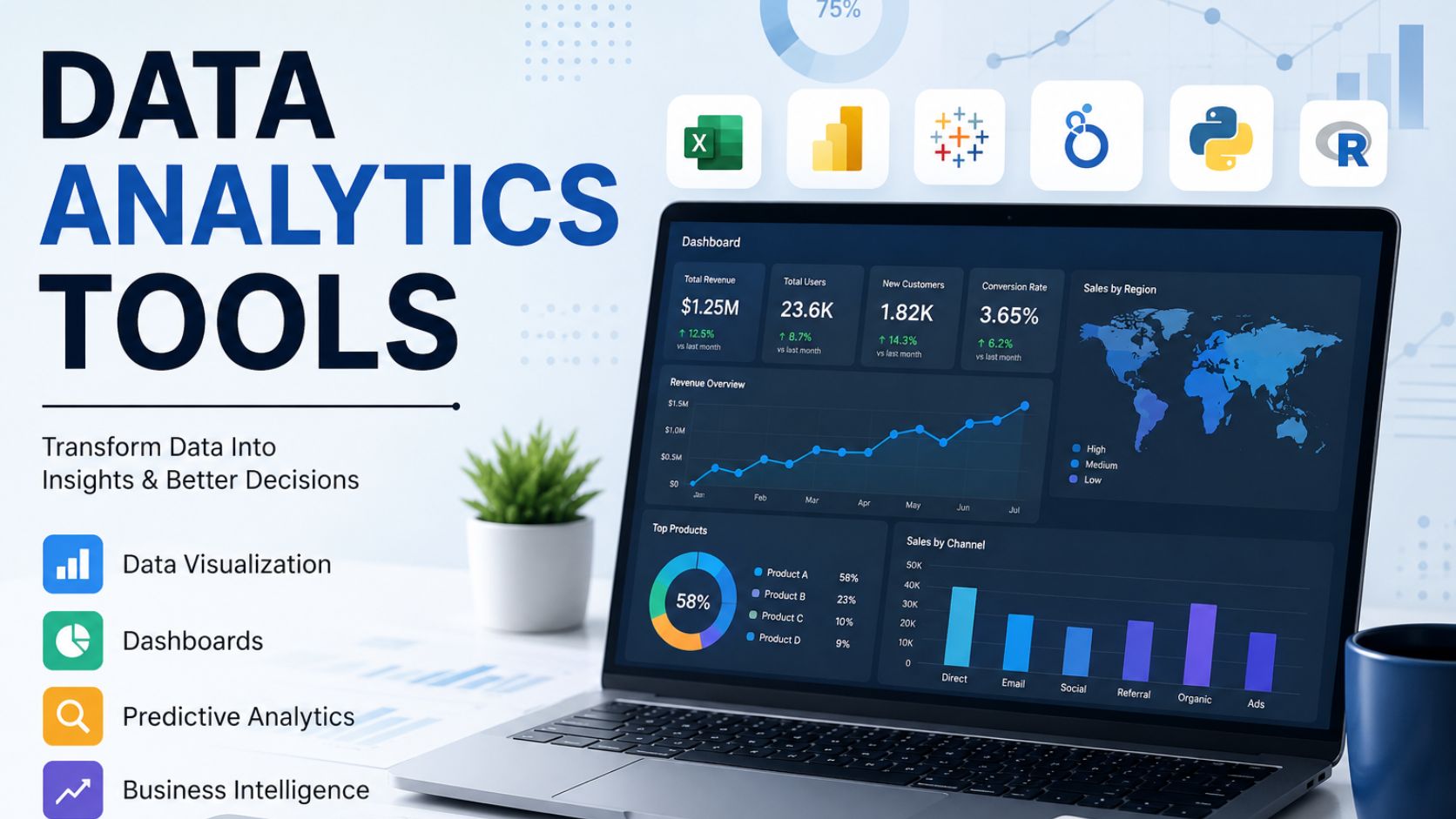
Data analytics tools help businesses turn raw data into reports, dashboards, forecasts, and decisions that improve performance. Most companies already collect useful data from websites, CRMs, spreadsheets, sales platforms, accounting systems, customer surveys, healthcare records, SaaS products, inventory systems, social media, and operations software. The problem is that this data often sits in separate systems, making it difficult to clean, compare, analyze, and use for decision-making.
The right data analytics tools solve that problem by helping teams collect, organize, visualize, and interpret data. A business can use these tools to monitor KPIs, understand customer behavior, forecast sales, detect risks, measure marketing performance, automate reporting, and identify opportunities for growth. Instead of guessing what is happening, decision-makers can see clear evidence from dashboards, charts, models, and reports.
For DataScienceConsultingPro.com, this topic is important because many businesses do not only need a list of tools. They need help choosing the right tool, setting it up correctly, cleaning their data, building useful dashboards, and interpreting the results. A company may buy Power BI, Tableau, Python, SAS, Snowflake, or BigQuery and still fail if the data structure, KPIs, dashboard design, or analytics workflow is weak.
Need help choosing or setting up the right analytics tool? Request a Data Analytics Consultation from DataScienceConsultingPro.com.
Quick Answer: Best Data Analytics Tools by Business Need
The best data analytics tools depend on the problem you want to solve. A small business that needs simple reports may not need the same tool as a healthcare organization, SaaS company, finance team, or enterprise handling millions of records. The right choice depends on your data size, budget, team skill level, reporting needs, automation goals, and whether you need dashboards, predictive analytics, AI analytics, or real-time monitoring.
| Business Need | Best Tool Options | Best Fit |
|---|---|---|
| Simple spreadsheet analysis | Excel, Google Sheets | Small businesses, finance teams, beginners |
| Business dashboards | Power BI, Tableau, Looker Studio, Qlik Sense | Managers, executives, BI teams |
| Marketing analytics | GA4, Looker Studio, BigQuery, Power BI | SEO teams, ecommerce teams, digital marketers |
| Statistical analysis | SPSS, SAS, R, Python | Researchers, healthcare teams, analysts |
| Predictive analytics | Python, R, SAS, DataRobot, H2O.ai | Businesses needing forecasting and risk models |
| Big data analytics | Snowflake, BigQuery, Databricks, Spark | Enterprises, SaaS firms, data-heavy companies |
| AI analytics | Databricks, Power BI AI features, Azure ML, AWS SageMaker, Vertex AI | Teams needing automation and machine learning |
| Real-time analytics | Kafka, Flink, Spark Streaming, Grafana, BigQuery | Operations, fraud detection, live monitoring |
| Self-service BI | Power BI, Tableau, Qlik Sense, Looker Studio | Non-technical business users |
| Unstructured data analytics | Python NLP, Azure AI, AWS Comprehend, Google NLP, Elasticsearch | Text, reviews, emails, documents, support tickets |
This article gives a complete guide to data analytics tools, including types, features, comparisons, pricing levels, industry use cases, mistakes to avoid, and how to choose the right analytics stack for your business.
What Are Data Analytics Tools?
Data analytics tools are software platforms, applications, programming environments, and business intelligence systems used to collect, clean, process, analyze, visualize, and interpret data. They help users move from raw data to meaningful insight. When people search for “what is data analytics tools,” they usually want to know which tools can help them understand business data, create reports, and make better decisions.
These tools can support many analytics tasks. Some tools help with basic spreadsheet analysis. Others help with dashboards, automation, statistical testing, machine learning, artificial intelligence, real-time alerts, big data processing, and cloud-based reporting. A business may use one tool or combine several tools into a full analytics workflow.
Common examples of data analytics tools include Excel, Google Sheets, Power BI, Tableau, Looker Studio, Qlik Sense, SQL, Python, R, SPSS, SAS, Alteryx, KNIME, Snowflake, Databricks, Google BigQuery, Apache Spark, AWS analytics tools, Azure Synapse Analytics, and Google Analytics 4.
A simple way to understand data analytics tools is this: they help businesses answer questions using data. For example, a retail company may ask which products sell best during each season. A SaaS company may ask which customers are likely to cancel. A hospital may ask which departments have rising appointment delays. A finance team may ask where costs are increasing. Data analytics tools help answer these questions with evidence.
Why Data Analytics Tools Matter for Business Growth
Data analytics tools matter because businesses cannot grow efficiently when decisions depend only on guesswork, manual spreadsheets, or scattered reports. A company may have valuable data but still struggle to use it if the data is messy, duplicated, outdated, or trapped in different systems. The right analytics tool helps bring that information together and turns it into reports that people can understand.
For business owners and managers, data analytics tools improve visibility. Instead of waiting for someone to prepare a report at the end of the month, teams can track sales, costs, leads, conversion rates, customer behavior, stock levels, project progress, and operational performance more frequently. This makes it easier to respond quickly when performance changes.
Data analytics tools for business also improve accountability. When a company defines KPIs clearly and tracks them in dashboards, teams can see what is improving and what needs attention. Marketing teams can see which campaigns bring leads. Sales teams can see pipeline movement. Finance teams can track budget variance. Operations teams can monitor delays, defects, or service bottlenecks.
The strongest benefit is better decision-making. A business that understands its numbers can reduce waste, identify profitable segments, forecast demand, improve customer experience, and plan with more confidence. This is why analytics tools are no longer only for large companies. Small businesses, startups, healthcare providers, ecommerce stores, consultants, real estate firms, and SaaS companies can all benefit from better reporting and analysis.
Data Analytics Tools List: Popular Tools Businesses Use
A strong data analytics tools list should include tools for beginners, business users, analysts, data scientists, enterprises, and technical teams. Some tools are easy to use but limited. Others are powerful but require coding or technical setup. The goal is not to choose the most famous tool. The goal is to choose the tool that fits the business problem.
| Tool | Best For | Main Strength | Best User Type | Business Use Case |
|---|---|---|---|---|
| Microsoft Excel | Basic analysis and reporting | Familiar, flexible, widely used | Beginners, finance teams, small businesses | Budgets, simple charts, sales summaries |
| Google Sheets | Collaborative spreadsheet work | Easy sharing and teamwork | Small teams, remote teams | Shared trackers, lightweight reports |
| Power BI | Business intelligence dashboards | Strong Microsoft integration | Business users, BI teams | KPI dashboards, executive reports |
| Tableau | Data visualization | Interactive visual analytics | Analysts, BI teams | Visual storytelling and dashboards |
| Looker Studio | Marketing and web dashboards | Simple and accessible reporting | Marketers, small businesses | SEO, GA4, campaign reports |
| Qlik Sense | BI and data exploration | Associative data model | BI teams, enterprises | Interactive department dashboards |
| SQL | Structured data querying | Direct database access | Analysts, data engineers | Extracting and joining business data |
| Python | Data science, automation, AI | Flexible and powerful | Data scientists, developers | Machine learning, NLP, automation |
| R | Statistics and research analytics | Strong statistical modeling | Researchers, statisticians | Regression, forecasting, research |
| SPSS | Statistical analysis | User-friendly statistical menus | Students, researchers, analysts | Survey analysis, hypothesis testing |
| SAS | Enterprise analytics | Strong governance and advanced analytics | Healthcare, finance, enterprises | Risk, clinical, and statistical analytics |
| Alteryx | Analytics automation | Low-code data preparation | Business analysts | Repeatable workflows and automation |
| KNIME | Visual analytics workflows | Open workflow design | Analysts, data teams | Data cleaning, modeling, reporting |
| Snowflake | Cloud data warehousing | Scalable data storage and querying | Enterprises, data teams | Central analytics warehouse |
| Google BigQuery | Cloud analytics | Large-scale analytics | Data teams, SaaS, marketing teams | GA4 exports, large datasets |
| Databricks | Big data, AI, machine learning | Lakehouse and AI workflows | Enterprises, data scientists | AI-ready data platforms |
| Apache Spark | Big data processing | Distributed computing | Data engineers | Large-scale data processing |
| Azure Synapse Analytics | Cloud analytics and warehousing | Microsoft cloud integration | Enterprises | Data warehouse and BI workflows |
| AWS Analytics | Cloud analytics ecosystem | Broad data services | Technical teams, enterprises | Data lakes, streaming, reporting |
| IBM Cognos Analytics | Enterprise BI | Governed reporting | Enterprises | Corporate dashboards and reporting |
| Oracle Analytics | Enterprise analytics | Oracle ecosystem connection | Enterprises | ERP, finance, and operations analytics |
| RapidMiner | Machine learning workflows | Visual predictive modeling | Analysts, data scientists | Classification and forecasting |
| MATLAB | Technical computing | Numerical and engineering analytics | Engineers, researchers | Simulation and scientific analysis |
| Jupyter Notebook | Code-based analysis | Reproducible analytics notebooks | Data scientists, analysts | Python/R analysis documentation |
| Google Analytics 4 | Web and app analytics | User behavior tracking | Marketers, ecommerce teams | Events, traffic, conversions |
No single tool is best for every company. Excel may be enough for a small business that tracks monthly sales, but it may fail when data grows or automation becomes necessary. Power BI may be excellent for dashboards, but it still needs clean data and proper modeling. Python may be powerful for AI and predictive modeling, but it requires coding skills. Snowflake or BigQuery may handle big data well, but they require technical setup and governance.
Best Data Analytics Tools by Category
Best Data Analytics Tools for Beginners
The best data analytics tools for beginners are tools that are easy to learn, affordable, and useful for common reporting tasks. Excel, Google Sheets, Looker Studio, Power BI, and Tableau Public are strong starting points because they help users create reports and visualizations without needing advanced coding skills.
Excel remains useful because many businesses already use it. It works well for budgets, simple charts, pivot tables, quick calculations, and small datasets. Google Sheets is similar but better for teams that need real-time collaboration. Looker Studio is useful for website, SEO, and marketing dashboards, especially when connecting data from Google tools.
Power BI is a strong next step for businesses that want better dashboards and automated reporting. It is especially useful for companies that already use Microsoft tools. Tableau is also beginner-friendly for visualization, although advanced use requires more training. Beginners should choose tools that solve immediate reporting problems before moving into complex AI or big data platforms.
Best Data Analytics Tools for Business Intelligence
Business intelligence tools help organizations track performance, monitor KPIs, and build dashboards for decision-makers. These tools are useful when managers need regular reports that update automatically and show trends clearly.
The best BI tools include Power BI, Tableau, Qlik Sense, Looker, Looker Studio, IBM Cognos Analytics, and Oracle Analytics. Power BI is often a strong option for companies using Excel, Microsoft 365, Azure, or Microsoft Fabric. Tableau is excellent for interactive visual analytics and polished dashboards. Qlik Sense is useful for exploratory analysis, while Looker Studio is a simple option for marketing dashboards.
A good BI tool should not only display charts. It should help users understand performance, compare periods, filter results, drill into details, and share insights securely. For companies that need dashboards, KPI reporting, and automated executive reports, DataScienceConsultingPro.com’s Business Intelligence Services can help turn raw business data into practical decision-making reports.
Best AI Data Analytics Tools
The best AI data analytics tools help businesses automate parts of the analytics process. They can support natural language questions, automated insights, anomaly detection, forecasting, customer segmentation, classification, and machine learning. These tools are useful when a business wants to move beyond descriptive dashboards into smarter analytics.
Popular AI data analytics tools include Databricks, DataRobot, H2O.ai, IBM watsonx, Azure Machine Learning, AWS SageMaker, Google Vertex AI, BigQuery with machine learning capabilities, Power BI AI features, Tableau AI features, and Alteryx. These tools vary widely in complexity. Some are designed for technical data science teams, while others help business users access AI-assisted insights.
AI tools can help businesses predict churn, forecast demand, detect fraud, classify customer feedback, identify anomalies, and automate reporting. However, AI analytics is only reliable when the data is clean, the metrics are properly defined, and the models are reviewed by humans. A poor dataset can produce confident but wrong AI outputs.
Best Big Data Analytics Tools
Big data analytics tools help organizations process large, fast, and complex datasets. These tools are important when spreadsheets or basic BI platforms cannot handle the volume, speed, or complexity of the data. Big data tools are common in SaaS, ecommerce, finance, healthcare, telecoms, logistics, and enterprise operations.
Common big data analytics tools include Apache Spark, Hadoop, Databricks, Snowflake, Google BigQuery, AWS Redshift, Azure Synapse Analytics, Kafka, and Flink. These tools can support large-scale storage, distributed processing, real-time data pipelines, cloud data warehouses, and machine learning workflows.
For example, a SaaS company may collect millions of user events each month. A basic spreadsheet cannot manage that data properly. A better setup may involve BigQuery or Snowflake for storage, SQL for querying, Python for modeling, and Power BI or Tableau for dashboards. The tool stack should match the size and purpose of the data.
Latest Big Data Analytics Tools 2026
Businesses searching for latest big data analytics tools 2026 are usually looking for modern platforms that support AI, automation, real-time reporting, and cloud scalability. The most useful tools are not simply the newest. They are the ones that help a business process data faster, govern it properly, and connect analytics to decisions.
In 2026-ready analytics environments, businesses should look for cloud scalability, AI-native workflows, data governance, real-time processing, data lakehouse support, natural language analytics, automated machine learning, unstructured data analysis, and strong privacy controls. Tools such as Databricks, Snowflake, BigQuery, Azure Synapse, AWS analytics services, Spark, and modern AI platforms often appear in these conversations.
However, businesses should avoid buying tools because of hype. A company with poor data quality does not need a complicated AI platform first. It may need data cleaning, KPI definition, dashboard design, and a clear reporting workflow. The most advanced tool is not always the most profitable tool.
Data Analytics Tools Comparison
A useful data analytics tools comparison should help a business make a decision. The table below compares tools by ease of use, skill requirement, strength, limitation, pricing level, and best business fit.
| Tool | Ease of Use | Pricing Level | Coding Required? | Main Strength | Limitation | Best Business Fit |
|---|---|---|---|---|---|---|
| Excel | Easy | Low | No | Simple analysis and spreadsheets | Weak for large automated reporting | Small businesses, finance teams |
| Google Sheets | Easy | Low | No | Collaboration and simple reports | Limited for complex analytics | Small teams, remote teams |
| Power BI | Moderate | Low to mid | No/low | BI dashboards and Microsoft integration | Requires data modeling skill | SMEs, enterprises, managers |
| Tableau | Moderate | Mid to high | No/low | Strong visual analytics | Can be costly | BI teams, analysts |
| Looker Studio | Easy | Low | No | Marketing dashboards | Limited advanced analytics | Marketers, small businesses |
| Qlik Sense | Moderate | Mid to high | No/low | Flexible BI exploration | Learning curve | BI teams, departments |
| SQL | Moderate | Low to mid | Yes | Database querying | Not a dashboard tool by itself | Analysts, data teams |
| Python | Harder | Low | Yes | Data science, AI, automation | Requires coding | Data science teams |
| R | Harder | Low | Yes | Statistics and research | Less business-user friendly | Researchers, statisticians |
| SPSS | Easy/moderate | Mid | No/low | Survey and statistical analysis | Less flexible than coding | Researchers, students |
| SAS | Moderate | High | Low/moderate | Enterprise analytics and governance | Expensive | Healthcare, finance, enterprises |
| Alteryx | Moderate | High | No/low | Workflow automation | Licensing cost | Business analysts, enterprises |
| KNIME | Moderate | Low to mid | No/low | Visual analytics workflows | Needs setup and training | Analysts, data teams |
| Snowflake | Advanced | Usage-based | SQL | Cloud data warehousing | Requires technical setup | Data-driven companies |
| BigQuery | Advanced | Usage-based | SQL/Python | Large-scale cloud analytics | Needs cloud skills | SaaS, marketing, enterprise |
| Databricks | Advanced | Usage-based/high | Yes | Big data, AI, lakehouse | Technical learning curve | Enterprises, AI teams |
| Apache Spark | Advanced | Low/open-source plus infrastructure | Yes | Distributed big data processing | Technical setup required | Data engineering teams |
| AWS SageMaker | Advanced | Usage-based | Yes | Machine learning development | Requires ML skills | AI teams, enterprises |
| Azure Machine Learning | Advanced | Usage-based | Yes | Enterprise ML workflows | Requires technical setup | Microsoft-based enterprises |
The best tool depends on the business stage. A small business may start with Excel and Power BI. A growing ecommerce company may use GA4, BigQuery, SQL, and Looker Studio. A SaaS company may need Snowflake, BigQuery, Python, and Tableau. A healthcare research team may use SPSS, R, SAS, or Power BI. An enterprise with AI goals may need Databricks, Snowflake, cloud machine learning tools, and governed BI dashboards.
Data Analytics Tools and Techniques
Data analytics tools and techniques must work together. A tool alone does not create insight. A business must know which analytical technique fits the question. The same dataset can be used for basic reporting, root-cause analysis, forecasting, risk scoring, or optimization depending on the technique applied.
Descriptive Analytics
Descriptive analytics explains what happened. It uses dashboards, charts, summary tables, KPI reports, and trend analysis. This is the most common form of analytics because every business needs to know its current and past performance.
Tools such as Excel, Power BI, Tableau, Looker Studio, SQL, and Google Analytics 4 are useful for descriptive analytics. A sales dashboard showing monthly revenue, customer counts, product performance, and regional trends is a descriptive analytics example.
Diagnostic Analytics
Diagnostic analytics explains why something happened. It goes deeper than descriptive reporting by examining causes, patterns, relationships, and segments. This can include drill-down analysis, cohort analysis, variance analysis, root-cause analysis, correlation review, and customer segmentation.
For example, if sales dropped in April, diagnostic analytics may show whether the cause was fewer website visitors, lower conversion rates, weaker email campaigns, stock shortages, price changes, or sales team performance. Tools such as Power BI, Tableau, SQL, Python, R, and Alteryx are useful for this type of analysis.
Predictive Analytics
Predictive analytics estimates what may happen next by using past and current data to identify patterns. These tools often rely on statistical models, machine learning, regression, classification, forecasting, and risk scoring to predict future outcomes.
Common predictive analytics use cases include churn prediction, demand forecasting, sales forecasting, customer lifetime value modeling, fraud detection, risk scoring, healthcare readmission prediction, and inventory planning. Tools such as Python, R, SAS, SPSS, DataRobot, H2O.ai, Databricks, Azure Machine Learning, and AWS SageMaker can support predictive analytics.
Common predictive analytics use cases include churn prediction, demand forecasting, sales forecasting, customer lifetime value modeling, fraud detection, risk scoring, healthcare readmission prediction, and inventory planning. Tools such as Python, R, SAS, SPSS, DataRobot, H2O.ai, Databricks, Azure Machine Learning, and AWS SageMaker can support predictive analytics.
Prescriptive Analytics
Prescriptive analytics recommends what action to take. It may use optimization, simulation, recommendation systems, decision rules, and scenario analysis. This type of analytics is more advanced because it connects data analysis to specific decisions.
A logistics company may use prescriptive analytics to choose the best delivery routes. A retailer may use it to recommend pricing changes. A marketing team may use it to allocate budget across channels. A healthcare organization may use it to improve staffing decisions based on demand forecasts.
AI Data Analytics Tools: How AI Is Changing Analytics
AI data analytics tools are changing how businesses interact with data. Instead of relying only on manual dashboards, users can ask natural language questions, generate summaries, detect patterns, classify text, forecast outcomes, and receive automated explanations. This makes analytics faster and more accessible, especially for teams that do not have large data departments.
AI analytics can help with natural language queries, automated dashboard creation, data cleaning suggestions, anomaly detection, sentiment analysis, customer segmentation, forecasting, report summarization, and decision intelligence. These features are useful because many business users know the questions they want to ask but do not know SQL, Python, or statistical modeling.
However, AI analytics must be handled carefully. AI tools can misread data, use wrong assumptions, or generate misleading explanations if the dataset is incomplete or poorly structured. Businesses still need clean data, clear KPIs, human review, privacy controls, and expert interpretation.
DataScienceConsultingPro.com can help businesses choose, validate, and implement AI data analytics tools that fit their business goals. This support is especially valuable when a company wants AI insights but does not yet have the internal data structure, model validation process, or analytics expertise needed to use AI safely.
Real Time Data Analytics Tools
Real time data analytics tools help businesses monitor live or near-live data instead of waiting for weekly or monthly reports. These tools are useful when fast action matters. Some businesses do not need real-time analytics, but for others, delayed information can lead to lost revenue, fraud risk, operational delays, or poor customer experience.
Real-time analytics can support fraud detection, live sales dashboards, website traffic monitoring, customer support tracking, delivery updates, IoT sensor monitoring, healthcare alerts, financial market dashboards, and operations monitoring. A customer support team may monitor ticket volume live. A logistics company may track delivery delays. A financial company may flag unusual transactions as they happen.
Common real time data analytics tools include Apache Kafka, Apache Flink, Spark Streaming, Google BigQuery, Power BI real-time dashboards, Tableau live connections, AWS Kinesis, Azure Stream Analytics, Datadog, and Grafana. These tools are powerful, but they require careful setup because real-time data pipelines can become complex and expensive.
A practical rule is simple: use real-time analytics only when decisions must be made quickly. If daily or weekly reporting is enough, scheduled dashboards may be more affordable and easier to maintain.
Unstructured Data Analytics Tools
Unstructured data analytics tools help businesses analyze information that does not fit neatly into spreadsheet rows and columns. This includes emails, PDFs, support tickets, call transcripts, chat messages, survey responses, social media comments, customer reviews, images, audio files, and clinical notes.
Unstructured data is valuable because it often explains the “why” behind customer behavior. Sales numbers may show that customers are leaving, but support tickets and reviews may explain why they are unhappy. A healthcare dashboard may show patient satisfaction scores, but open-ended comments may reveal specific service problems.
Tools and techniques for unstructured data include Python NLP libraries, R text mining packages, Azure AI, AWS Comprehend, Google Cloud Natural Language, IBM Watson, Databricks, Elasticsearch, vector databases, optical character recognition, speech-to-text tools, and modern LLM-based analytics workflows.
Businesses can use unstructured data analytics for sentiment analysis, topic modeling, complaint classification, document search, customer feedback analysis, call center insights, legal document review, healthcare note analysis, and ecommerce review mining. This is one of the fastest-growing areas of analytics because businesses are collecting more text, voice, and document data than ever before.
Data Analytics Tools for Healthcare
Data analytics tools for healthcare help clinics, hospitals, public health teams, researchers, administrators, and healthcare businesses understand clinical, operational, and patient experience data. Healthcare data is complex because it may include appointment records, claims data, staffing data, patient outcomes, satisfaction surveys, electronic health records, and quality indicators.
Healthcare organizations use analytics tools for patient outcome analysis, appointment trends, readmission monitoring, clinical quality improvement, staffing analysis, resource allocation, claims analysis, risk prediction, public health reporting, and patient satisfaction analysis. A clinic may use Power BI to track appointment cancellations. A hospital may use SAS or R for clinical research. A healthcare administrator may use Tableau to monitor department performance.
Common tools include Power BI, Tableau, SAS, SPSS, R, Python, SQL, Excel, and healthcare-specific BI platforms. The best tool depends on whether the work is operational reporting, research analysis, compliance reporting, quality improvement, or predictive modeling.
Healthcare analytics requires strong privacy, compliance, access control, and ethical data handling. Any dashboard or model that uses patient-related data should be designed carefully to protect sensitive information and avoid misuse.
Data Analytics Tools for Finance
Finance teams use data analytics tools to improve accuracy, forecasting, reporting, and risk management. Financial data must be reliable because poor reporting can affect budgets, investment decisions, tax planning, cash flow, and compliance.
Common finance analytics use cases include revenue analysis, expense tracking, budget variance analysis, financial forecasting, fraud detection, risk modeling, investment analytics, customer profitability, cash-flow monitoring, and management reporting. Excel is still widely used in finance, but many teams move to Power BI, Tableau, SQL, Python, R, or SAS when reporting becomes larger or more complex.
A finance team may use Excel for planning, SQL to pull data from accounting systems, Power BI for dashboards, and Python for forecasting. Larger organizations may use Snowflake, BigQuery, or enterprise BI platforms to centralize financial data across departments.
The best finance analytics setup should reduce manual work, improve accuracy, and give leaders faster access to financial performance indicators.
Data Analytics Tools for SaaS and Technology Companies
The best data analytics tools for tech industry use cases often focus on user behavior, product usage, subscriptions, churn, retention, and revenue growth. SaaS companies generate large volumes of event data, which makes analytics essential for understanding how users interact with the product.
SaaS and technology companies use analytics tools for user behavior tracking, churn prediction, subscription analytics, product usage dashboards, customer lifetime value analysis, feature adoption, funnel analysis, cohort analysis, A/B testing, and revenue analytics.
Useful tools include Google Analytics 4, Mixpanel, Amplitude, BigQuery, Snowflake, Looker, Power BI, Tableau, SQL, Python, and R. A SaaS company may use event tracking tools to collect product usage data, BigQuery or Snowflake to store it, SQL to query it, Python to model churn, and Power BI or Tableau to create dashboards.
For SaaS companies, analytics should connect directly to growth. The best dashboards should show acquisition, activation, retention, revenue, churn, expansion, and product engagement.
Sports Data Analytics Tools
Sports data analytics tools help sports organizations, teams, coaches, fitness professionals, and commercial sports businesses make better decisions from performance and fan data. Although sports analytics is a specialized niche, it is useful because it shows how flexible analytics tools can be across industries.
Sports analytics can support player performance analysis, injury risk monitoring, training load management, game strategy, scouting, team selection, fan engagement, ticket pricing, sponsorship analytics, and video analysis. A coach may use data to compare player performance. A club may use fan data to improve ticket sales. A fitness team may use wearable data to monitor training intensity.
Common sports data analytics tools include Python, R, SQL, Tableau, Power BI, wearable analytics platforms, video analytics tools, machine learning models, and custom dashboards. Sports analytics often combines structured data, video data, sensor data, and performance metrics.
Self Service Data Analytics Tools
Self service data analytics tools allow non-technical users to explore data, filter reports, build dashboards, and answer business questions without waiting for IT or data teams every time. These tools are important because many departments need quick answers but do not have dedicated analysts.
Examples of self service data analytics tools include Power BI, Tableau, Qlik Sense, Looker Studio, ThoughtSpot, Excel dashboards, and Google Sheets. These tools allow managers and department users to interact with dashboards, filter by date or segment, and explore performance without writing code.
Self-service analytics improves speed, reduces reporting bottlenecks, and encourages a stronger data culture. Marketing teams can track campaigns. Sales managers can monitor pipeline. HR teams can analyze workforce trends. Operations teams can review delays or defects.
However, self-service analytics also creates risk if there is no governance. Teams may define metrics differently, build duplicate dashboards, misread charts, or use outdated data. Businesses need clear KPI definitions, dashboard standards, permissions, training, and data quality rules.
Advanced Data Analytics Tools
Advanced data analytics tools support machine learning, forecasting, optimization, simulation, statistical modeling, big data engineering, AI workflows, and prescriptive analytics. These tools are best for businesses with complex data problems or high-value decisions.
Examples include Python, R, SAS, MATLAB, Databricks, Apache Spark, DataRobot, H2O.ai, Azure Machine Learning, AWS SageMaker, Google Vertex AI, Snowflake, and BigQuery. These tools can help companies build predictive models, automate analysis, process large datasets, and create advanced decision systems.
Advanced tools are useful for churn prediction, fraud detection, demand forecasting, customer segmentation, recommendation engines, price optimization, route optimization, risk scoring, and clinical prediction models. However, advanced tools require stronger data preparation, technical skills, validation, documentation, and monitoring.
Businesses should not jump into advanced analytics before solving basic data problems. Clean data, clear goals, and reliable reporting should come first.
Group Data Analytics Tools: Tools for Teams and Departments
Group data analytics tools help teams work together on dashboards, reports, datasets, and business insights. They support collaboration, shared access, permissions, scheduled refreshes, comments, version control, and secure publishing.
Useful group data analytics tools include Power BI Service, Tableau Server, Tableau Cloud, Looker, Qlik Sense, Looker Studio, Snowflake, Databricks, Microsoft Fabric, Google BigQuery, and shared SQL environments.
Group analytics is important because businesses often suffer from disconnected reporting. Marketing may have one number for leads, sales may have another, and finance may report a different revenue figure. A shared analytics environment helps departments work from consistent data and agreed definitions.
Good group analytics improves communication between leadership, sales, marketing, finance, operations, HR, and technical teams. It also supports better governance because access can be controlled and reports can be standardized.
Data Analytics Tools Pricing: Free, Low-Cost, Mid-Range, and Enterprise Options
Pricing matters because not every business needs expensive enterprise software. Many businesses can start with affordable tools and upgrade later as their data needs grow. The best approach is to match the tool cost to the value of the decision it supports.
| Pricing Level | Example Tools | Best For | Comment |
|---|---|---|---|
| Free or very low cost | Google Sheets, Looker Studio, Python, R, Jupyter Notebook | Beginners, students, small teams | Good starting point but may need technical skill |
| Low-cost business tools | Excel, Power BI entry plans, Google Workspace tools | Small businesses, finance teams | Useful for everyday reporting |
| Mid-range BI tools | Power BI Pro/Premium options, Tableau, Qlik Sense | Growing companies, BI teams | Better for dashboards and collaboration |
| Enterprise analytics | SAS, IBM Cognos, Oracle Analytics, Snowflake, Databricks | Large companies, regulated industries | Stronger governance and scalability |
| Usage-based cloud tools | BigQuery, Snowflake, AWS, Azure, Databricks | Data-heavy businesses | Costs depend on storage, queries, and compute |
The cheapest tool is not always the best, and the most expensive tool is not always necessary. A company should estimate the cost of the tool, implementation, training, maintenance, and consulting support. A low-cost tool with poor setup can still waste money. A higher-cost tool may be worth it if it saves time, reduces errors, and improves major decisions.
Recommended Analytics Stack by Business Type
A business rarely uses only one analytics tool. Most companies need a simple stack that combines data storage, cleaning, analysis, visualization, and reporting. The right stack should match the business size, data volume, skill level, and goals.
| Business Type | Recommended Stack | Why It Works |
|---|---|---|
| Small business | Excel or Google Sheets + Power BI or Looker Studio | Affordable and easy to manage |
| Ecommerce business | GA4 + BigQuery + Looker Studio or Power BI | Tracks traffic, sales, and conversions |
| SaaS company | Product analytics tool + BigQuery/Snowflake + SQL + Power BI/Tableau | Supports churn, usage, and revenue analytics |
| Healthcare organization | SQL + Power BI/Tableau + SPSS/SAS/R | Supports reporting, quality improvement, and research |
| Finance team | Excel + SQL + Power BI/Tableau + Python/R | Supports reporting, forecasting, and risk analysis |
| Enterprise company | Snowflake/BigQuery/Databricks + BI platform + governance tools | Scales across departments and data sources |
| AI-focused company | Databricks/BigQuery/Snowflake + Python + ML platform + dashboards | Supports machine learning and AI analytics |
A good analytics stack should be simple enough for the team to use and strong enough to support business growth. Many companies make the mistake of buying too many tools before they define their data workflow.
How to Choose the Best Data Analytics Tools for Your Business
Choosing the best data analytics tools starts with the business problem, not the software brand. A company should first define what it wants to improve. This may be reporting speed, customer insight, sales forecasting, marketing performance, operational efficiency, fraud detection, healthcare quality, or financial visibility.
Key factors to consider include business goals, data sources, data size, data quality, budget, user skill level, dashboard requirements, AI needs, predictive analytics needs, real-time reporting needs, security, compliance, cloud preference, integrations, scalability, and return on investment.
| Business Need | Recommended Tool Type | Example Tools | Why It Fits |
|---|---|---|---|
| Basic reporting | Spreadsheet tools | Excel, Google Sheets | Easy and affordable |
| KPI dashboards | BI tools | Power BI, Tableau, Looker Studio | Clear visual reporting |
| Marketing analytics | Web analytics and BI | GA4, Looker Studio, BigQuery | Tracks campaigns and conversions |
| Predictive analytics | Statistical and ML tools | Python, R, SAS, DataRobot | Supports forecasting and modeling |
| Big data analytics | Cloud and lakehouse platforms | Snowflake, BigQuery, Databricks | Handles large datasets |
| Healthcare analytics | BI and statistical tools | Power BI, Tableau, SAS, SPSS, R | Supports reporting and research |
| Finance analytics | BI and modeling tools | Excel, Power BI, Tableau, Python | Useful for forecasts and risk |
| Self-service analytics | User-friendly BI tools | Power BI, Tableau, Qlik Sense | Lets business users explore data |
| AI analytics | AI-enabled platforms | Databricks, Vertex AI, Azure ML | Supports automation and ML |
| Data cleaning | Workflow and coding tools | Alteryx, KNIME, Python, SQL | Prepares messy data for analysis |
A business should also ask whether it has the internal skills to use the tool. If not, it may need training or consulting support. Buying a tool without implementation support can lead to unused dashboards, inconsistent metrics, and poor adoption.
30–90 Day Implementation Roadmap for Data Analytics Tools
A practical implementation roadmap helps businesses avoid confusion. Data analytics tools work best when implementation follows a clear process.
| Timeline | Main Activity | Expected Output |
|---|---|---|
| Days 1–15 | Define goals, KPIs, users, and data sources | Analytics plan and reporting priorities |
| Days 16–30 | Clean data and connect sources | Usable datasets and data connections |
| Days 31–45 | Build first dashboards or reports | Draft dashboards for review |
| Days 46–60 | Validate numbers and improve design | Reliable reports and corrected metrics |
| Days 61–75 | Train users and document definitions | User adoption and KPI documentation |
| Days 76–90 | Automate refreshes and improve workflow | Stable analytics system |
The first 90 days should focus on business value, not fancy charts. A company should start with the reports that matter most, validate the numbers, and train users before adding advanced features.
Common Mistakes Businesses Make When Choosing Data Analytics Tools
Many businesses fail with analytics tools because they focus on software before strategy. A tool cannot fix unclear goals, messy data, poor KPIs, or weak adoption.
One common mistake is choosing a tool before defining the decision it should support. A dashboard should answer business questions. If the company does not know what it wants to measure, the tool will only create more confusion.
Another mistake is buying expensive software without cleaning data first. Messy data leads to inaccurate reports, duplicate numbers, and low trust. Before investing in dashboards or AI models, businesses should clean, standardize, and validate their data.
Businesses also make mistakes when they ignore user skill level. A technical tool may be too difficult for non-technical staff. A simple tool may be too limited for advanced analytics. The tool should match the people who will use it.
Other common mistakes include using too many disconnected tools, building dashboards with vanity metrics, ignoring data governance, failing to automate reports, trusting AI outputs without validation, and not training users. The best analytics projects combine the right tool, clean data, clear KPIs, and good implementation.
When to Hire a Data Analytics Consultant Instead of Buying Another Tool
A business should consider hiring a data analytics consultant when it has data but cannot turn it into useful decisions. Many companies keep buying new software when the real problem is poor data structure, unclear metrics, weak dashboard design, or lack of analytics expertise.
You may need consulting support if your reports take too long to prepare, your teams disagree on numbers, your dashboards are confusing, your data is scattered across systems, your team lacks SQL or BI skills, or your business wants predictive analytics but does not know where to start.
A consultant can help choose the right tool, clean the data, design dashboards, automate reports, define KPIs, build predictive models, validate insights, and train users. This can save time and reduce the risk of buying tools that the business never uses properly.
How DataScienceConsultingPro.com Helps Businesses With Data Analytics Tools
DataScienceConsultingPro.com helps businesses choose, set up, and use data analytics tools in a way that supports real decisions. The goal is not just to install software. The goal is to turn raw data into clean, accurate, decision-ready insights.
Our support can include tool selection, data cleaning, dashboard design, Power BI consulting, Tableau consulting, Excel automation, Python and R analytics, SQL reporting, predictive analytics, AI analytics setup, business intelligence services, KPI reporting, statistical analysis, data visualization, analytics training, and custom reporting.
We help businesses that have scattered spreadsheets, unclear KPIs, slow reporting, messy datasets, or dashboards that do not answer the right questions. We can also help growing companies build better analytics workflows before investing in larger cloud, AI, or big data platforms.
Request a Data Analytics Consultation
Final Thoughts on Data Analytics Tools
The best data analytics tools depend on the business problem, data structure, budget, team skill level, and reporting goals. Excel or Google Sheets may be enough for simple reporting. Power BI or Tableau may be better for dashboards. SQL is essential for database reporting. Python and R are stronger for advanced analytics. Snowflake, BigQuery, Spark, and Databricks are better for big data and AI-ready workflows.
A business should not choose a tool only because it is popular. The better question is whether the tool helps the business make faster, clearer, and more profitable decisions. The right analytics setup should reduce manual work, improve reporting accuracy, reveal trends, and support action.
If you are unsure which data analytics tool is right for your business, DataScienceConsultingPro.com can help you compare options, design the right analytics workflow, and build reports that support better decisions.
Request a data analytics consultation today.
FAQ
Data analytics tools are software platforms and applications used to collect, clean, analyze, visualize, and interpret data. They help businesses create reports, dashboards, forecasts, statistical models, and insights that support better decision-making.
Excel, Google Sheets, Looker Studio, and Power BI are strong beginner options. Excel and Google Sheets are useful for simple spreadsheet analysis, while Power BI and Looker Studio are better for dashboards and visual reporting.
The best data analytics tools for business include Power BI, Tableau, Excel, SQL, Python, R, Looker Studio, Snowflake, BigQuery, Databricks, SAS, and Alteryx. The right choice depends on business size, data complexity, budget, and reporting needs.
Power BI, Tableau, Looker Studio, Qlik Sense, IBM Cognos Analytics, and Oracle Analytics are strong dashboard tools. Power BI is often useful for Microsoft-based businesses, while Tableau is strong for interactive visual analytics.
The best AI data analytics tools include Databricks, DataRobot, H2O.ai, Azure Machine Learning, AWS SageMaker, Google Vertex AI, IBM watsonx, Power BI AI features, Tableau AI features, and Alteryx.
Big data analytics tools are platforms used to process large, complex, or fast-moving datasets. Examples include Apache Spark, Hadoop, Databricks, Snowflake, Google BigQuery, AWS Redshift, Azure Synapse Analytics, Kafka, and Flink.
Predictive data analytics tools include Python, R, SAS, SPSS, DataRobot, H2O.ai, Databricks, Azure Machine Learning, AWS SageMaker, and Google Vertex AI. These tools support forecasting, classification, regression, churn prediction, and risk modeling.
Real time data analytics tools help businesses monitor live or near-live data. Examples include Apache Kafka, Apache Flink, Spark Streaming, Power BI real-time dashboards, BigQuery, AWS Kinesis, Azure Stream Analytics, Datadog, and Grafana.
Unstructured data analytics tools analyze text, images, documents, emails, reviews, call transcripts, social media comments, and other non-tabular data. Common options include Python NLP libraries, Azure AI, AWS Comprehend, Google Cloud Natural Language, IBM Watson, Databricks, Elasticsearch, and AI search platforms.
Healthcare organizations commonly use Power BI, Tableau, SAS, SPSS, Python, R, SQL, and Excel. These tools support patient outcome analysis, readmission monitoring, staffing analysis, claims analysis, public health reporting, and clinical quality improvement.
Tech and SaaS companies often use BigQuery, Snowflake, Looker, Power BI, Tableau, Python, SQL, Mixpanel, Amplitude, and Google Analytics 4. These tools help with churn prediction, product usage tracking, subscription analytics, funnel analysis, and customer behavior analysis.
Yes. Excel and Google Sheets are still useful for simple analysis, budgeting, small datasets, quick charts, and shared reports. However, businesses with large datasets, automated dashboards, or advanced analytics needs may require Power BI, Tableau, SQL, Python, or cloud analytics platforms.
Power BI is often better for businesses already using Microsoft tools and needing cost-effective BI dashboards. Tableau is often stronger for advanced visual analytics and interactive data exploration. The better choice depends on budget, data sources, user skills, and reporting goals.
Not always. Tools like Excel, Power BI, Tableau, Looker Studio, Qlik Sense, Alteryx, and KNIME can be used with little or no coding. Coding becomes more important for advanced analytics, machine learning, automation, custom models, and large-scale data engineering.
DataScienceConsultingPro.com can help businesses choose analytics tools, clean data, build dashboards, automate reports, create predictive models, set up AI analytics, design KPI reports, and train teams to use data more effectively.
