
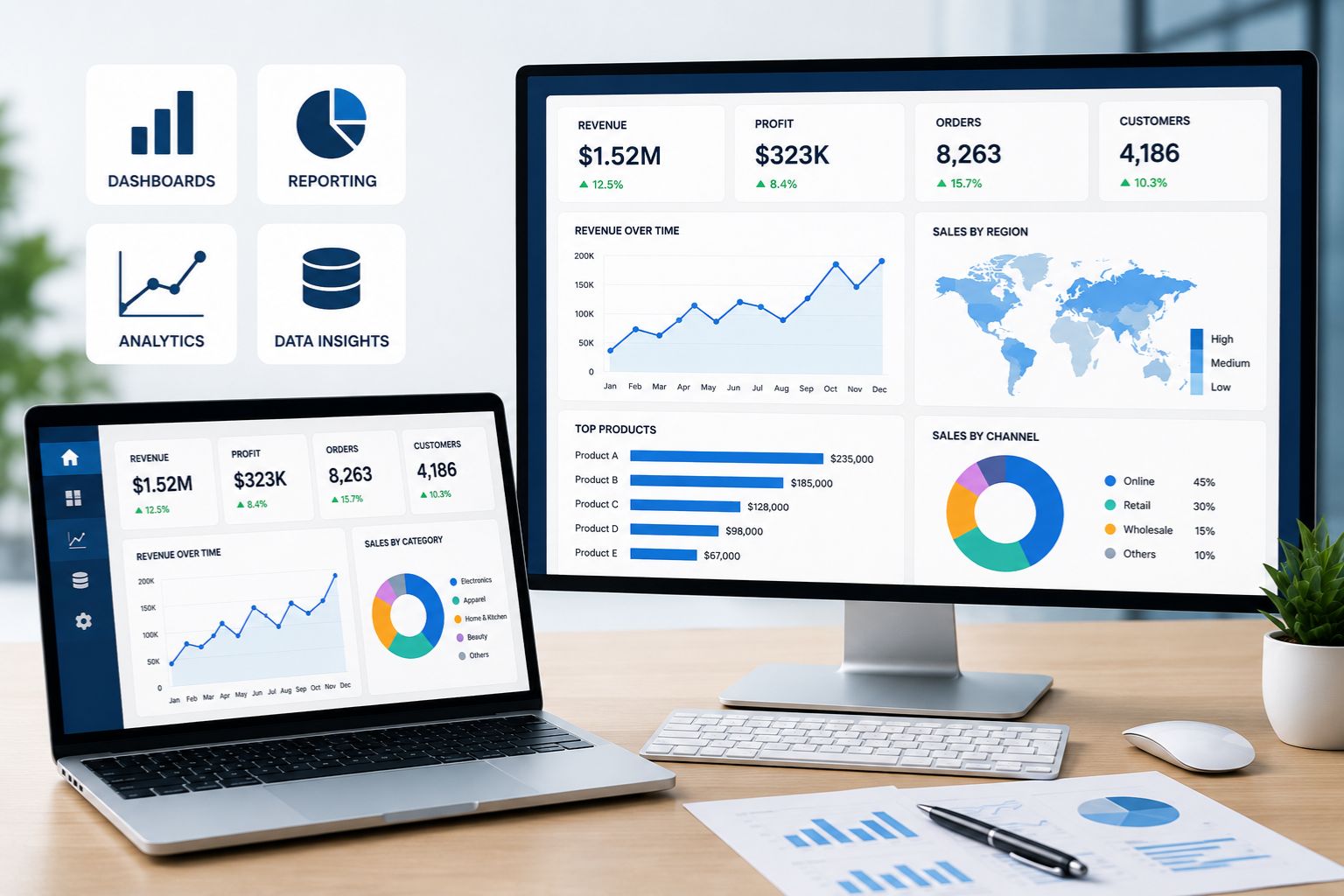
DataScienceConsultingPro.com provides business intelligence services for businesses, organizations, startups, nonprofits, institutions, and decision-makers that need clearer reporting, stronger dashboards, better KPI tracking, and faster access to useful business data.
Many organizations collect data every day, but that does not always mean they can use it well. Sales data may sit in one system. Finance reports may live in spreadsheets. Marketing performance may come from several platforms. Operations records may be tracked manually. Leadership may receive reports that take too long to prepare, contain inconsistent numbers, or fail to answer the most important business questions.
Our business intelligence services help turn scattered data into organized dashboards, reports, visual summaries, KPI views, and decision-ready insights. We help you understand what is happening in your business, where performance is changing, which areas need attention, and how your team can use data more confidently.
Business intelligence works best when reporting connects directly to decisions. That is why our approach starts with your business goals, reporting needs, available data, and the people who will use the final dashboards or reports. We do not create dashboards just because they look impressive. We build reporting systems that help teams understand performance, reduce manual work, and make better-informed decisions.
If your organization needs broader data support before building dashboards or reports, our Data Science Consulting service can help you define the right direction for your analytics project.
Get a Business Intelligence Project Quote
Business Intelligence Services That Turn Data Into Action
Replace Scattered Reports With Trusted Business Intelligence
Share your data sources, recurring reports and KPI needs to receive a practical BI project recommendation.
Business intelligence services help businesses collect, organize, analyze, visualize, and use data for better decisions. In practical terms, BI helps your team move from scattered reports and manual spreadsheets to clearer dashboards, KPI tracking, and business performance reporting.
A sales manager may need a dashboard that shows revenue, pipeline activity, customer growth, and conversion rates. A finance team may need recurring reports that track revenue, costs, margins, and budget performance. A marketing team may need campaign dashboards that show leads, channels, conversion patterns, and return on spend. An operations team may need reporting that highlights delays, bottlenecks, workload, productivity, or service performance.
Business intelligence can support these needs by bringing important information into one reporting structure. Instead of searching through multiple files or waiting for manual updates, teams can use dashboards and reports that show the numbers that matter most.
Strong BI also helps reduce confusion. When departments use different spreadsheets, calculations, or reporting methods, leadership may not know which numbers to trust. A clear business intelligence setup can improve consistency, define KPIs properly, and create a more reliable reporting process.
Our goal is to make business intelligence practical. If you need a focused Excel report, the solution should stay simple. If your organization needs a larger reporting system, dashboards, data preparation, or multi-source reporting, we help structure the project clearly before development begins.
What Our Business Intelligence Services Include
Our business intelligence services can support different reporting needs, from basic performance reports to more advanced dashboards and recurring BI systems. Some clients need help defining KPIs. Others need dashboard development, executive reporting, automated reports, or data visualization.
| Business Intelligence Service | What It Helps With | Best For |
|---|---|---|
| BI Consulting | Reviews reporting needs, data sources, KPIs, and dashboard goals before development begins. | Businesses unsure how to improve reporting |
| KPI Development | Defines the right metrics for tracking performance. | Executives, managers, and department leaders |
| Dashboard Development | Turns business data into interactive visual reports. | Teams that need faster access to performance data |
| Executive Reporting | Creates leadership-ready summaries and performance views. | Directors, executives, boards, and senior managers |
| Data Visualization | Presents complex data in clear charts, tables, and visuals. | Businesses that need easier interpretation |
| Automated Reporting | Reduces repeated manual reporting work through recurring reports and dashboards. | Teams spending too much time preparing reports |
| Power BI Dashboards | Supports Microsoft-based reporting and analytics dashboards. | Teams using Microsoft tools |
| Tableau Dashboards | Supports interactive data visualization and dashboard storytelling. | Teams needing visual exploration |
| Excel Reporting | Supports spreadsheet-based reports and dashboards. | Smaller teams or focused reporting needs |
| Data Quality Review | Identifies data issues that affect reporting accuracy. | Teams with inconsistent or unreliable reports |
BI Consulting
BI consulting helps your organization understand what reporting system, dashboard structure, or KPI setup makes the most sense. Before building anything, we review your business goals, current reports, available data sources, reporting pain points, and expected users.
This step matters because weak reporting often starts with unclear requirements. A dashboard may look polished but still fail if it tracks the wrong metrics, uses inconsistent data, or does not answer the questions managers actually ask.
Our consulting approach helps define the reporting problem before development begins. We look at what your team needs to know, where the data comes from, how often reports should update, and what decisions the final output should support.
KPI Development
KPIs should help teams understand performance, not create confusion. We help businesses define key performance indicators that match their goals, departments, and reporting needs.
A sales dashboard may track revenue, conversion rate, pipeline value, customer acquisition, average deal size, and sales activity. A finance dashboard may track revenue, expenses, margins, budget variance, cash flow indicators, or profitability. An operations dashboard may track workload, delays, productivity, service times, quality measures, or resource use.
Clear KPI logic matters because different teams may calculate the same metric in different ways. We help organize metrics so reports are easier to trust and understand.
Dashboard Development
Dashboard development turns data into visual reports that teams can use quickly. A dashboard may include charts, tables, filters, scorecards, trend lines, comparisons, and performance indicators.
Good dashboards do not simply display data. They organize information around business questions. What changed? Where is performance improving? Which team, product, customer group, channel, or location needs attention? What should leadership review first?
Our dashboard development approach focuses on usability, clarity, and decision support.
Executive Reporting
Executive reporting helps leaders see the most important numbers without digging through detailed spreadsheets. These reports may summarize performance across sales, finance, marketing, operations, customers, projects, or programs.
A strong executive report should be clear, focused, and easy to review. It should highlight trends, risks, progress, and priorities. It should also avoid overwhelming leaders with unnecessary detail.
We help create executive reporting outputs that support management meetings, leadership reviews, board updates, and strategic planning.
Data Visualization
Data visualization helps turn raw numbers into charts, tables, dashboards, and summaries that are easier to understand. A good visual can make trends, comparisons, outliers, and performance changes easier to see.
However, visuals should not be decorative only. Every chart should serve a purpose. A trend chart may work for time-based data. A bar chart may work for comparisons. A scorecard may work for KPIs. A table may work when users need detailed values.
Automated Reporting
Manual reporting can waste time, create errors, and delay decisions. Automated reporting can help teams reduce repeated spreadsheet work and improve reporting consistency.
Automation may support recurring dashboards, scheduled reports, standard reporting templates, or repeatable data preparation steps. The level of automation depends on your tools, data sources, workflow, and reporting needs.
The goal is to reduce repetitive work while keeping the reporting process understandable and manageable.
Business Problems Business Intelligence Can Help Solve
Business intelligence services are useful when teams have data but lack clear reporting. The problem is often not that the business has no data. The problem is that the data is scattered, inconsistent, hard to interpret, or slow to turn into decisions.
| Business Problem | How Business Intelligence Helps | Example Output |
|---|---|---|
| Manual reporting | Reduces repeated spreadsheet work with dashboards and recurring reports. | Automated weekly or monthly dashboard |
| Unclear KPIs | Defines and organizes performance metrics. | KPI dashboard |
| Scattered data | Brings key data into one reporting view. | Combined business performance report |
| Sales tracking gaps | Shows pipeline, revenue, customers, and sales activity clearly. | Sales dashboard |
| Finance reporting delays | Supports clearer revenue, cost, budget, or margin reporting. | Finance performance dashboard |
| Marketing uncertainty | Tracks campaign performance, leads, conversions, and channels. | Marketing analytics report |
| Operations bottlenecks | Monitors delays, workload, productivity, and process issues. | Operations dashboard |
| Executive reporting needs | Summarizes key metrics for leadership decisions. | Executive reporting dashboard |
Slow Manual Reporting
Many teams spend hours preparing reports manually. Staff may copy data from different spreadsheets, clean files repeatedly, update charts, and rebuild the same reports every week or month.
Business intelligence can reduce that workload by creating a more structured reporting process. Instead of rebuilding reports from scratch, teams can use repeatable dashboards, templates, or reporting workflows.
Conflicting Numbers Across Departments
Different departments may report different numbers for the same metric. Sales may define revenue one way, finance may define it another way, and leadership may receive inconsistent reports.
BI helps reduce this problem by clarifying KPI definitions, calculation logic, data sources, and reporting rules. When the reporting process is more consistent, teams can spend less time arguing about numbers and more time acting on them.
Poor KPI Visibility
Some businesses track too many metrics without knowing which ones matter most. Others track too few metrics and miss important performance signals.
Business intelligence services help identify the KPIs that match your goals. The result is a dashboard or report that focuses attention on the most useful performance indicators.
Scattered Data Sources
Business data may live in spreadsheets, CRM systems, accounting platforms, marketing tools, web analytics platforms, databases, and operational systems. When data is scattered, reporting becomes slow and inconsistent.
BI can help bring key data into a clearer reporting view. The solution may be simple or complex depending on your systems, budget, and reporting needs.
Weak Executive Reporting
Executives and senior managers need reports that summarize performance clearly. They often do not have time to review long spreadsheets or disconnected department updates.
A strong executive dashboard can show trends, risks, progress, and priority metrics in one place. This supports faster leadership review and clearer decision-making.
Spreadsheet Overload
Spreadsheets are useful, but they can become difficult to manage as a business grows. Multiple versions, manual formulas, hidden errors, inconsistent formatting, and outdated files can weaken reporting quality.
Business intelligence can help move important reporting into a more organized structure while still using Excel where it makes sense.
Who Needs Business Intelligence Services?
Business intelligence services are useful for organizations that collect data but struggle to report on it clearly. You may need BI support if reports take too long to prepare, staff spend too much time updating spreadsheets, leadership does not trust the numbers, or dashboards fail to answer real business questions.
Sales teams can use BI to track pipeline, revenue, conversion rates, leads, customer activity, product performance, and sales trends. Marketing teams may need dashboards that show campaigns, channels, leads, conversions, engagement, and performance patterns.
Finance teams can use business intelligence to monitor revenue, costs, margins, budgets, payments, and profitability. Operations teams may need reporting for workload, productivity, delays, service levels, inventory, process performance, or resource planning.
Customer service teams can use dashboards to track tickets, response times, resolution rates, satisfaction, complaints, and recurring issues. Product teams may need BI to understand usage, adoption, customer behavior, feature performance, or product trends.
Leadership teams need business intelligence for strategic reporting. A clear executive dashboard can help managers review performance, spot risks, and understand progress without waiting for manual reports.
Nonprofits and institutions may also benefit from BI. Program teams can track participation, outcomes, funding, donor activity, service delivery, and impact reporting.
Our Business Intelligence Process
A successful BI project needs more than charts. It requires clear reporting goals, reliable data, useful KPIs, thoughtful design, and practical delivery.
| Step | What Happens | Why It Matters |
|---|---|---|
| Understand reporting goals | We clarify what decisions the reports should support. | BI should answer real business questions. |
| Review data sources | We examine spreadsheets, systems, exports, or databases. | Source data affects reporting accuracy. |
| Define KPIs | We identify the right performance indicators. | Clear KPIs prevent confusing reports. |
| Prepare the data | We organize, clean, or structure data where needed. | Reliable data improves dashboard quality. |
| Design reports | We plan layout, visuals, filters, and reporting flow. | Good design improves usability. |
| Build dashboards | We create dashboards, reports, or visual summaries. | Teams get clearer access to performance data. |
| Test and explain | We check calculations and explain how to use the output. | Users need confidence in the numbers. |
1. Understand Your Reporting Goals
We begin by understanding what you want your reports or dashboards to achieve. Your team may need to track sales, monitor operations, report to executives, improve finance visibility, measure marketing performance, or manage customer service.
A clear reporting goal helps shape the dashboard structure, KPI selection, data preparation, and final deliverables.
2. Review Your Data Sources
Next, we review the data available for the project. This may include spreadsheets, CRM exports, accounting reports, marketing data, operations logs, customer records, website analytics, survey files, or database extracts.
We look at structure, completeness, consistency, and whether the data can support the required report.
3. Define KPIs and Business Questions
Before building a dashboard, we clarify what the dashboard should answer. This may include business questions such as: How are sales changing? Which channel performs best? Where are costs increasing? Which location has delays? Which customer group needs attention?
Clear questions help prevent dashboards from becoming cluttered.
4. Prepare the Data
Business intelligence depends on reliable data. If the data is messy, inconsistent, duplicated, incomplete, or poorly formatted, the final dashboard may be misleading.
Data preparation may involve cleaning, formatting, merging, organizing, standardizing categories, checking calculations, and preparing reporting-ready datasets.
5. Design the Dashboard or Report
Dashboard design should support quick understanding. We plan the layout, charts, filters, tables, KPIs, and reporting flow so users can find what matters.
Design decisions should match the audience. Executives may need summary views. Managers may need department-level performance. Analysts may need more detail.
6. Build Reports and Visualizations
After planning the structure, we build the dashboard, report, or visual summary. This may include charts, scorecards, filters, tables, trend visuals, comparisons, and performance indicators.
The final output should help users understand performance without unnecessary complexity.
7. Test and Explain the Output
Before delivery, reports should be checked for calculation issues, usability problems, unclear labels, and inconsistent results. We also explain how the output works so users can understand the numbers and use the report properly.
BI Dashboards and Reporting We Can Build
Different teams need different dashboards. A strong BI solution should match the users, decisions, and reporting context.
Executive Dashboards
Executive dashboards summarize the most important performance indicators for leadership. They may include revenue, costs, sales performance, customer activity, operations metrics, marketing results, and strategic KPIs.
Sales Dashboards
Sales dashboards can track pipeline, leads, conversion rates, revenue, customer acquisition, product performance, sales activity, and team performance.
Marketing Dashboards
Marketing dashboards may show campaign performance, channel performance, leads, conversions, traffic, engagement, cost metrics, and customer response patterns.
Finance Dashboards
Finance dashboards can support reporting on revenue, expenses, margins, budget variance, cash flow indicators, payments, and profitability.
Operations Dashboards
Operations dashboards may track workload, delays, productivity, process performance, inventory, resource use, quality issues, and service levels.
Customer Analytics Dashboards
Customer analytics dashboards help teams understand customer behavior, retention, engagement, complaints, support needs, satisfaction, and purchasing trends.
KPI Dashboards
KPI dashboards focus on key performance indicators across a team, department, or organization. They help users monitor progress and identify performance changes quickly.
Nonprofit and Program Dashboards
Nonprofits and institutions may need dashboards for donor activity, program participation, outcomes, service delivery, grant reporting, and impact measurement.
Data Preparation for Business Intelligence
Data preparation is one of the most important parts of business intelligence. A dashboard can only be trusted if the data behind it is accurate, organized, and consistent.
BI data preparation may involve cleaning records, removing duplicates, reviewing missing values, formatting columns, merging files, mapping data sources, standardizing names, checking categories, and confirming KPI calculation logic.
For example, a sales report may include customer names written in different ways, duplicate transactions, missing dates, inconsistent product categories, or different currency formats. These issues can affect dashboard accuracy.
Strong data preparation helps create reporting-ready datasets. It also improves trust because users can understand where the numbers come from and how they were calculated.
Business intelligence often connects closely with Data Analysis Services because both depend on structured data, accurate calculations, and clear interpretation.
Business Intelligence and Data Analytics
Business intelligence and Data Analytics support different parts of the reporting process. BI usually focuses on dashboards, reports, KPIs, and performance monitoring. Data analytics goes deeper into patterns, causes, relationships, and insights.
Business intelligence often connects closely with Data Analysis Services because both depend on structured data, accurate calculations, and clear interpretation.
Business Intelligence and Data Analytics
Business intelligence and Data Analytics are closely related, but they are not exactly the same. Business intelligence often focuses on dashboards, reports, KPIs, and performance monitoring. Data analytics goes deeper into patterns, causes, relationships, and insights.
For example, a BI dashboard may show that sales dropped in a specific region. Data analytics may help explain why sales dropped by reviewing customer behavior, product performance, pricing, seasonality, marketing activity, or operational changes.
The two approaches often work together. BI helps your team monitor what is happening. Data analytics helps your team understand why it may be happening.
If your team is still comparing reporting and analytics terms, our Data Analytics vs Data Analysis page can help explain how analysis, analytics, reporting, and business intelligence relate to each other.
Business Intelligence and Machine Learning
Business intelligence can show what happened and what is happening now. Machine Learning can add future-facing insight through forecasting, scoring, segmentation, anomaly detection, and prediction.
For example, a BI dashboard may show monthly sales trends. A machine learning model may forecast future sales based on historical patterns. A BI report may show current customer activity, while machine learning may help identify customers at higher risk of churn.
Not every BI project needs machine learning. Many businesses first need clean reports, clear KPIs, and reliable dashboards. However, when the reporting foundation is strong, predictive insight may become a valuable next step.
Tools and Technologies
Business intelligence projects may use different tools depending on your data, budget, users, reporting goals, and technical environment. Common tools may include Power BI, Tableau, Excel, SQL, Python, databases, spreadsheets, reporting systems, ETL workflows, cloud data tools, and dashboard platforms.
Power BI may be suitable for organizations that use Microsoft tools and need interactive dashboards. Tableau may be useful for visual exploration and dashboard storytelling. Excel can still support smaller teams, quick reporting, and focused analysis. SQL and databases may support larger reporting workflows.
The best tool depends on the project. A small business may need a focused dashboard. A growing company may need recurring reports from several spreadsheets. A larger organization may need multi-source dashboards, data preparation, and ongoing reporting support.
We choose tools based on practicality, usability, cost, data structure, and how your team will use the final reports.
What You Receive From Our Business Intelligence Services
The final deliverables depend on your project scope, data, and reporting goals. Business intelligence services may produce dashboards, reports, cleaned reporting datasets, KPI summaries, visualizations, executive reports, documentation, and recommendations.
| Deliverable | Purpose |
|---|---|
| BI dashboards | Provide visual performance tracking for teams and leaders. |
| KPI dashboards | Track the metrics that matter most to your business. |
| Executive reports | Summarize key performance indicators for leadership review. |
| Sales reports | Show revenue, pipeline, customer activity, and sales trends. |
| Finance reports | Track costs, revenue, budgets, margins, and financial performance. |
| Marketing reports | Monitor campaigns, leads, conversions, and channels. |
| Operations dashboards | Show workload, delays, productivity, and process performance. |
| Cleaned reporting datasets | Prepare data for accurate reporting and dashboard use. |
| Data visualization reports | Make complex data easier to understand. |
| KPI documentation | Explain how important metrics are defined and calculated. |
A useful BI deliverable should help your team act. It should not simply display charts. It should help users understand performance, spot changes, and make better-informed decisions.
What Affects Business Intelligence Project Pricing?
Business intelligence project pricing depends on the amount of work required to prepare data, define KPIs, build dashboards, test reports, and deliver usable outputs.
| Pricing Factor | Why It Matters |
|---|---|
| Number of data sources | Multiple sources may require merging, validation, and mapping. |
| Data quality | Messy or inconsistent data may need cleaning before reporting. |
| Dashboard complexity | More pages, filters, visuals, and calculations increase project scope. |
| KPI requirements | Complex metrics may need careful calculation logic. |
| Tool choice | Power BI, Tableau, Excel, or other tools may affect the workflow. |
| Automation needs | Automated refreshes or recurring reports may require extra setup. |
| Timeline | Urgent delivery may require priority scheduling. |
| Documentation | Training notes, user guides, or handover support add work. |
| Ongoing support | Regular dashboard updates or reporting support may need a separate arrangement. |
A simple dashboard from one clean spreadsheet may require less work than a multi-source reporting system with several dashboard pages, complex KPIs, automated updates, and documentation.
Data quality can also affect pricing. Clean data moves faster into reporting. Messy data may require preparation before dashboard development can begin.
To get a useful quote, prepare your reporting goal, available data sources, preferred tools, expected dashboard type, timeline, and examples of reports you currently use.
Why Choose DataScienceConsultingPro.com for Business Intelligence Services?
DataScienceConsultingPro.com focuses on practical business intelligence services for businesses and organizations that need clearer reporting and decision-ready dashboards.
Our approach begins with the business question. Instead of building dashboards around decoration, we build them around decisions. We first identify what your team needs to track, what data is available, what KPIs matter, and how users will use the final reports.
We also explain reporting work in plain language. Business intelligence should not feel confusing to the people who need to use it. We make dashboards, reports, and KPI logic easier to understand so managers, executives, and teams can use the outputs with more confidence.
Data preparation is central to our work. Dashboards are only useful when the data behind them is reliable. We help review, clean, organize, and structure data where needed before building reporting outputs.
Confidentiality also matters. Business intelligence projects may involve sales data, financial reports, customer records, marketing results, operational files, or internal performance data. We handle project files with care and encourage clients to share only the information needed for the project.
Business Intelligence Services for Different Teams
Sales Business Intelligence
Sales teams can use BI to track pipeline, revenue, leads, conversion rates, sales activity, customer growth, product performance, and team performance. A sales dashboard can help managers see where opportunities are moving and where follow-up may be needed.
Marketing Business Intelligence
Marketing teams can use business intelligence to monitor campaign performance, traffic, leads, conversions, channels, audience behavior, and return on marketing activities. Clear reporting helps teams understand which campaigns are working and where adjustments may be needed.
Finance Business Intelligence
Finance teams may need dashboards for revenue, costs, margins, budget variance, expenses, cash flow indicators, and profitability. BI can support recurring financial reporting and clearer performance review.
Operations Business Intelligence
Operations teams can use dashboards to monitor workload, productivity, delays, process performance, service times, inventory, resource use, and quality issues. These reports can help teams identify bottlenecks and improve planning.
Customer Analytics Business Intelligence
Customer analytics dashboards help teams review behavior, retention, support activity, satisfaction, complaints, purchasing patterns, and customer value. These insights can support service improvement, marketing, sales, and retention planning.
Executive Reporting and Leadership Dashboards
Leadership dashboards summarize the most important business metrics in one place. They may support management meetings, strategic reviews, board reporting, and performance monitoring.
Nonprofit and Program Reporting
Nonprofits and institutions may use BI to track program participation, donor activity, outcomes, funding, service delivery, and impact reporting. Clear dashboards can help improve reporting to stakeholders, funders, and internal teams.
Common Business Intelligence Project Examples
Business intelligence projects can take many forms depending on the data, reporting needs, and agreed scope. Common examples include sales performance dashboards, executive KPI dashboards, marketing campaign reports, finance reporting dashboards, operations performance dashboards, customer behavior dashboards, monthly management reports, nonprofit impact dashboards, data quality reports, and multi-source business performance dashboards.
A sales performance dashboard may help teams monitor leads, revenue, pipeline, and conversion trends. An executive KPI dashboard may summarize performance for leadership review. A marketing campaign report may show which channels, campaigns, or audiences are performing better.
A finance dashboard may help track revenue, costs, margins, and budget performance. An operations dashboard may show delays, workload, productivity, or process issues. A customer behavior dashboard may reveal retention, engagement, complaints, or purchase patterns.
Some businesses may also need an Excel-to-dashboard upgrade. This can help move recurring spreadsheet reports into a clearer BI structure while keeping the reporting process practical.
These examples depend on available data, project scope, tools, data quality, and agreed deliverables. We do not guarantee specific business outcomes, but we help clients use available data to support better-informed decisions.
Frequently Asked Questions About Business Intelligence Services
Business intelligence services help businesses collect, organize, analyze, visualize, and use data for better decision-making. These services may include dashboard development, KPI tracking, executive reporting, data visualization, automated reporting, Power BI dashboards, Tableau dashboards, Excel reporting, and business performance analysis.
The main goal is to turn scattered data into clear reports and dashboards that help teams understand performance, identify problems, and make better-informed decisions.
Business intelligence can help your business reduce manual reporting, improve KPI visibility, organize scattered data, create clearer dashboards, and give managers faster access to performance information.
For example, a sales team can track revenue, leads, pipeline, and conversion rates. A finance team can monitor revenue, costs, margins, and budget performance. An operations team can review workload, delays, productivity, and process issues.
You may still need business intelligence if your spreadsheets are difficult to manage, take too long to update, contain inconsistent numbers, or fail to give leadership a clear view of performance.
Spreadsheets are useful for many smaller reporting tasks. However, as a business grows, BI dashboards and structured reporting systems can help reduce manual work, improve consistency, and make reporting easier to review.
DataScienceConsultingPro.com can help with executive dashboards, sales dashboards, finance dashboards, marketing dashboards, operations dashboards, customer analytics dashboards, KPI dashboards, nonprofit impact dashboards, and recurring management reports.
The best dashboard depends on your goals, available data, preferred tools, reporting frequency, and the decisions your team needs to support.
Business intelligence can support reporting from multiple data sources when the data is available, usable, and properly structured. Sources may include spreadsheets, CRM exports, accounting reports, marketing platforms, website analytics, operations files, databases, or other business systems.
Multiple data sources may require data cleaning, mapping, merging, and validation before dashboard development begins.
Business intelligence often focuses on dashboards, reports, KPIs, and performance monitoring. Data analytics goes deeper into patterns, causes, relationships, and insights.
For example, a BI dashboard may show that sales dropped in one region. Data analytics may help explain why sales dropped by reviewing customer behavior, pricing, seasonality, marketing activity, or product performance.
Business intelligence pricing may depend on the number of data sources, data quality, dashboard complexity, KPI requirements, tool choice, automation needs, timeline, documentation, and ongoing support.
A simple dashboard from one clean spreadsheet usually costs less than a multi-source BI system with several dashboard pages, automated reporting, complex calculations, and user documentation.
No. Business intelligence services can support better reporting and better-informed decisions, but they do not guarantee profits, revenue growth, cost savings, or specific business outcomes.
Results depend on data quality, business decisions, implementation, market conditions, internal processes, and how the organization uses the final dashboards or reports.
Prepare your reporting goal, available data sources, current reports, preferred tools, timeline, dashboard examples, KPI list, and the main questions your team needs to answer.
Clear project information helps us review your needs and recommend a practical BI solution.
You can request a business intelligence project quote by submitting your project details through DataScienceConsultingPro.com. Include your reporting goal, available data sources, current reporting challenges, preferred tools, expected dashboard type, timeline, and any relevant project files.
Get a Business Intelligence Project Quote
DataScienceConsultingPro.com helps businesses and organizations turn scattered data into clearer dashboards, better reports, stronger KPI tracking, and practical business intelligence outputs.
Whether you need an executive dashboard, sales report, finance dashboard, marketing analytics report, operations dashboard, KPI tracker, or multi-source business performance report, we can help you define the project and review what is possible with your data.
Prepare your reporting goal, available data sources, preferred tools, timeline, current reporting challenges, and any relevant project files. We will review your request and explain the next steps.
