
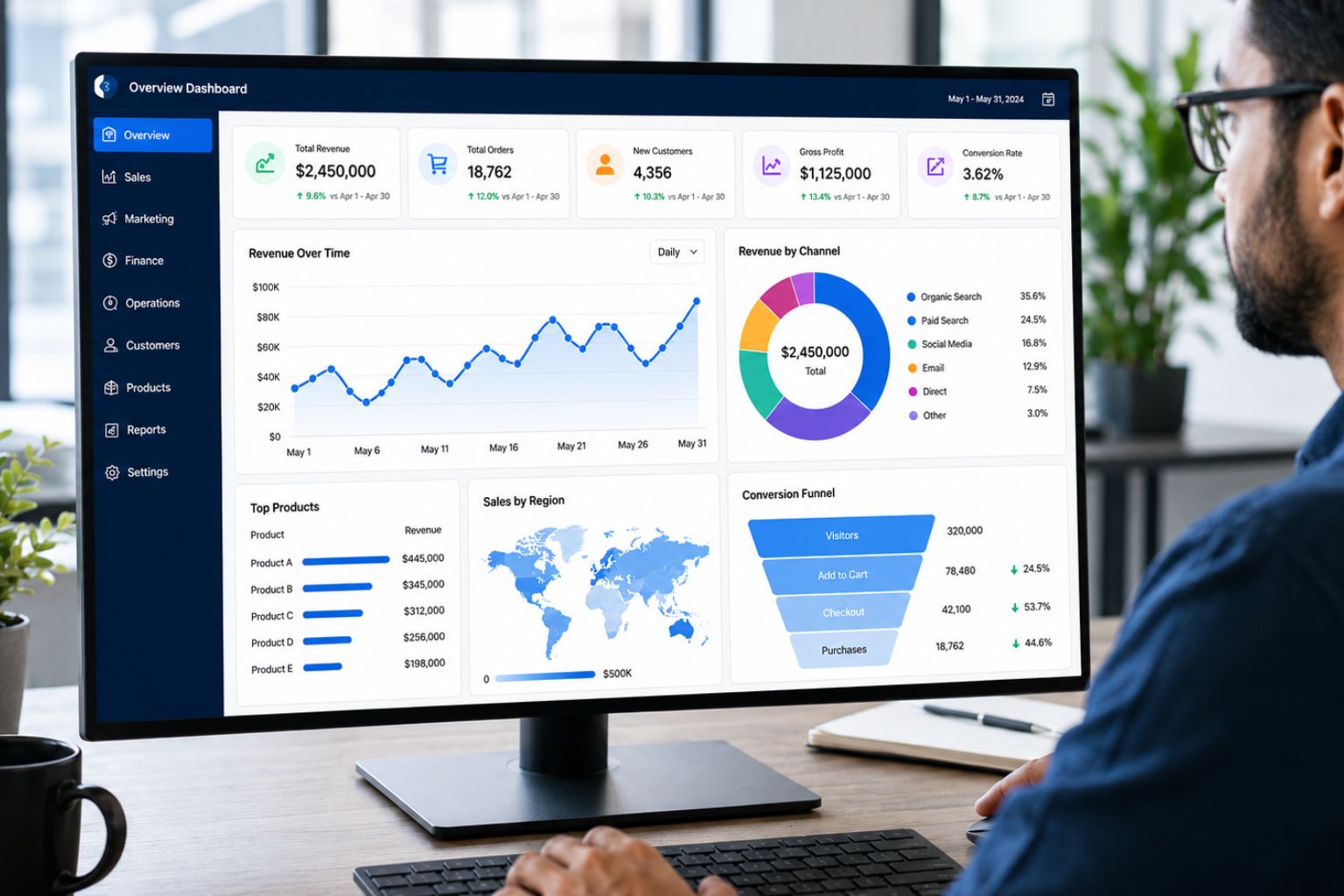
Many businesses have data but still struggle to turn it into clear dashboards, reliable reports, and decision-ready insights. Sales teams may track pipeline data in spreadsheets. Marketing teams may review campaign results across different platforms. Finance teams may prepare recurring reports manually. Operations teams may monitor performance through disconnected files. Executives may ask for the same updates every week, but the numbers often arrive late, look inconsistent, or require too much explanation.
Professional dashboard development services solve this problem by turning scattered data into clear, interactive, and usable reporting tools. A well-built dashboard helps teams track KPIs, monitor performance, compare departments, identify trends, reduce manual reporting, and make faster decisions.
At DataScienceConsultingPro.com, we design and build custom dashboards for businesses that need accurate, automated, and easy-to-understand reporting. We create dashboards for sales, marketing, finance, operations, healthcare, e-commerce, SaaS, executive reporting, digital performance, customer analytics, and recurring KPI tracking.
Our dashboard development work may involve Power BI, Tableau, Looker Studio, Excel, Google Sheets, SQL databases, CRM exports, Google Analytics 4, Shopify or WooCommerce data, SaaS product data, Python, R, APIs, and other business data sources where appropriate.
When your data needs preparation before dashboarding, our Data Cleaning Services can help organize, validate, and prepare messy data before visual reporting begins.
Request a Dashboard Development Quote Now
What Are Dashboard Development Services?
Turn Your Reporting Data Into a Decision-Ready Dashboard
Share your current files, KPIs and reporting goals. We can recommend the right Power BI, Tableau or Excel dashboard approach.
Dashboard development services involve designing, building, improving, and automating visual reporting tools that help teams monitor business performance. A dashboard brings important metrics, charts, filters, comparisons, and trends into one place so users can understand what is happening without manually reviewing raw data.
Professional dashboard development is not just chart creation. It starts with understanding the business goal, defining the right KPIs, reviewing data sources, preparing the data where needed, designing a clean layout, building useful visuals, adding filters or drill-downs, validating the numbers, and delivering a dashboard that users can trust.
A good dashboard should answer real questions. It should show leadership what needs attention, help managers track progress, and help teams identify performance changes quickly. It should not overwhelm users with too many visuals, vague metrics, or decorative charts that do not support decisions.
Our dashboard development services may include custom dashboard development, KPI dashboard development, executive dashboard development, analytics dashboard development, dashboard reporting services, automated reporting dashboards, dashboard design services, dashboard visualization services, and dashboard consulting services.
Why Professional Dashboard Development Matters
Poor dashboards create confusion instead of clarity. A dashboard may look attractive but still fail if it shows the wrong KPIs, uses inconsistent definitions, contains outdated data, or overwhelms users with too many visuals. Teams may spend hours building reports only to find that managers do not trust the numbers.
Professional dashboard development matters because business reporting needs accuracy, usability, and structure. A dashboard should make it easier to understand performance, not harder. It should reduce manual reporting, improve KPI visibility, and help users act on the information they see.
When dashboards are built without proper planning, different teams may report different numbers for the same metric. Sales may define revenue one way, finance may define it another way, and leadership may lose confidence in the report. A structured dashboard development process helps prevent these problems by aligning KPIs, data sources, calculations, dashboard layout, and reporting goals before the dashboard is built.
| Dashboard Problem | Business Risk | How Our Dashboard Development Services Help |
|---|---|---|
| Wrong KPIs | Teams track metrics that do not support decisions | We define KPIs around business goals and user needs |
| Manual reporting | Staff repeat the same reporting tasks every week or month | We build dashboards that reduce recurring manual work |
| Inconsistent numbers | Leadership loses trust in reports | We review definitions, calculations, and data sources |
| Confusing layout | Users struggle to find the key message | We design clean layouts focused on usability |
| Too many visuals | Important insights get buried | We prioritize visuals that answer real business questions |
| Poor data refresh | Reports become outdated quickly | We plan refresh or automation where applicable |
| Disconnected data sources | Teams cannot see complete performance | We connect or prepare multiple data sources where possible |
| Weak executive visibility | Leaders cannot quickly see what needs attention | We build high-level KPI summaries for faster review |
| No filters or drill-downs | Users cannot explore the data properly | We add useful interactivity where needed |
| Poor adoption | Teams stop using the dashboard | We build dashboards that are simple, relevant, and practical |
Our Dashboard Development Services
Dashboard Requirements Review
Every successful dashboard starts with clear requirements. We review your business goals, reporting needs, current reports, dashboard users, available data sources, and the decisions the dashboard should support.
This step helps us understand whether the dashboard is for executives, department managers, analysts, sales teams, marketing teams, finance teams, operations teams, or external stakeholders. Each audience needs a different level of detail.
An executive dashboard should summarize performance quickly. A sales dashboard may need pipeline stages, conversion rates, revenue, and rep performance. A finance dashboard may need revenue, expenses, margin, and budget variance. A dashboard that tries to serve every audience at once often becomes crowded and difficult to use.
KPI Definition and Dashboard Planning
A dashboard is only useful if it tracks the right KPIs. We help define the metrics that matter most for your business, department, or project. These may include revenue, profit margin, conversion rate, sales pipeline, cost per lead, customer retention, inventory movement, productivity, service levels, average order value, churn indicators, or other performance measures.
KPI planning also involves agreeing on definitions. For example, “revenue” may mean gross revenue, net revenue, recognized revenue, or collected revenue. “Lead” may mean a form submission, qualified lead, sales-accepted lead, or booked call. Clear definitions help prevent confusion after the dashboard goes live.
Data Source Connection and Preparation
Dashboards depend on data sources. These may include spreadsheets, SQL databases, CRM exports, financial systems, Google Analytics 4, Google Search Console, e-commerce platforms, SaaS product data, APIs, Excel files, Google Sheets, or manually updated reports.
We review the data sources and determine how they can support the dashboard. When data needs preparation, we organize fields, standardize formats, check key columns, and prepare the structure needed for visual reporting. If the data is heavily inconsistent, duplicate-heavy, or unreliable, a separate cleaning scope may be needed before dashboard development.
Dashboard Design and Layout
Dashboard design is not only about appearance. It is about clarity, usability, and decision support. We design layouts that help users understand the most important information first.
A strong dashboard layout usually includes a clear top-level KPI summary, trend visuals, comparison sections, filters, and supporting detail. It should guide the user from high-level performance to deeper insights. It should also avoid clutter, unnecessary decoration, and visuals that do not answer useful questions.
Interactive Dashboard Development
Interactive dashboards allow users to explore data through filters, slicers, drill-downs, date ranges, categories, regions, products, departments, campaigns, or customer segments. Interactivity helps users move beyond static reporting.
We build interactive dashboards where useful. For example, a sales manager may want to filter by region or sales rep. A marketing team may want to compare channels or campaigns. A finance team may want to view revenue by month, department, or cost center.
Executive Dashboard Development
Executive dashboards help leaders monitor top-level performance without reading lengthy reports. They may include revenue, costs, profit margins, sales performance, marketing results, customer metrics, operational KPIs, and trend summaries.
The goal is to give leadership a clear view of what is happening, what changed, and what needs attention. Executive dashboard development focuses on clarity, speed, and decision support. These dashboards should not overwhelm leaders with operational detail unless drill-downs are needed.
Sales Dashboard Development
Sales dashboards help teams track revenue, pipeline progress, lead conversion, rep performance, product performance, region performance, monthly trends, customer segments, and forecast-related indicators where relevant.
A sales dashboard can help managers see where deals are stuck, which products drive revenue, which reps are performing well, and which regions need attention. It can also support weekly sales meetings, performance reviews, and pipeline planning.
Marketing Dashboard Development
Marketing dashboards help teams track campaign performance, channel performance, leads, conversions, landing page performance, paid media results, email performance, SEO traffic where applicable, and digital funnel activity.
A useful marketing dashboard should connect activity metrics to outcomes. Clicks and impressions may be useful, but they do not tell the whole story. A stronger dashboard may show which channels produce qualified leads, which campaigns convert, and where the funnel loses users.
When dashboard projects depend heavily on website, campaign, GA4, GTM, funnel, or conversion tracking data, our Digital Analytics Services can support the measurement and interpretation layer behind the dashboard.
Financial Dashboard Development
Financial dashboards help finance teams and leaders monitor revenue, expenses, profit margins, cash flow indicators, budget variance, cost centers, financial KPIs, and management reporting metrics.
A finance dashboard can reduce manual reporting and help decision-makers see financial trends faster. It may support monthly reporting, budget reviews, executive summaries, pricing analysis, or performance tracking.
Financial dashboard development requires careful metric definitions because small differences in calculations can change the meaning of the report.
Operations Dashboard Development
Operations dashboards help teams monitor productivity, service levels, process delays, delivery timelines, inventory movement, workload, quality indicators, resource use, and operational bottlenecks.
These dashboards are useful for teams that need to improve efficiency, track process performance, monitor service delivery, or identify where delays occur. A strong operations dashboard helps managers see what is happening across workflows and where intervention may be needed.
Healthcare Dashboard Development
Healthcare dashboards may support operational reporting, patient experience summaries, service utilization reviews, administrative tracking, quality indicators, survey reporting, or research-related visual summaries.
Healthcare dashboard development requires careful attention to context, definitions, and data handling. The goal is to make healthcare data easier to understand while preserving the meaning of the metrics.
E-Commerce Dashboard Development
E-commerce dashboards help online stores track revenue, product performance, conversion rate, average order value, cart abandonment, customer segments, repeat purchases, inventory indicators, campaign revenue, and checkout performance.
A useful e-commerce dashboard can help teams understand which products sell, where buyers drop off, which channels drive revenue, and how purchasing behavior changes over time.
SaaS and Product Dashboard Development
SaaS dashboards help product and growth teams monitor product usage, trial starts, activation, feature adoption, retention, churn indicators, subscription metrics, customer lifecycle stages, and user engagement.
A SaaS dashboard may show how users move from signup to activation, which features are used most, which segments retain better, and where users disengage. For projects that require churn prediction, automated scoring, or advanced product intelligence, machine learning services may be more suitable.
Digital Analytics Dashboard Development
Digital analytics dashboards help teams monitor website traffic, campaign performance, conversions, user journeys, landing pages, forms, funnels, and digital KPIs. These dashboards may pull from GA4, Google Search Console, ad platforms, CRM exports, or website tracking data.
Digital analytics dashboards are useful when marketing teams and executives need clearer visibility into online performance.
Power BI Dashboard Development
Power BI dashboard development is useful for businesses that need interactive dashboards, data modeling, multiple data source connections, calculated metrics, and recurring reporting. Power BI works well for executive dashboards, sales dashboards, financial dashboards, operations dashboards, and business intelligence dashboard projects.
We can support Power BI dashboard planning, design, development, data modeling, measure creation, interactivity, and dashboard refinement.
Tableau Dashboard Development
Tableau dashboard development is useful for teams that need strong visual analytics, interactive exploration, and polished data visualization. Tableau can support executive reporting, operations monitoring, customer analytics, marketing dashboards, and performance dashboards.
We help structure Tableau dashboards around the business question, not just the visual design.
Looker Studio Dashboard Development
Looker Studio dashboard development is useful for website, marketing, digital analytics, Google Search Console, GA4, and campaign reporting projects. It can help teams create accessible dashboards for digital performance tracking.
Looker Studio dashboards may be suitable for businesses that need clean, shareable, and easy-to-read reports based on digital channels.
Excel Dashboard Development
Excel dashboard development can be suitable for teams that rely on spreadsheets and need a practical visual reporting tool without moving immediately to a BI platform.
Excel dashboards can include KPI summaries, charts, pivot tables, slicers, trend views, and structured report pages. They can support small businesses, finance teams, operations teams, and analysts who need organized reporting from spreadsheet data.
Automated Reporting Dashboards
Automated reporting dashboards reduce repetitive manual reporting. Depending on the data sources and tools, automation may involve scheduled refreshes, linked data sources, Power Query, database connections, APIs, or recurring data imports.
Automation helps teams save time, reduce errors, and make reports available faster. It is especially useful when managers ask for the same report every week or month.
Dashboard Improvement and Redesign
Some organizations already have dashboards, but the reports are confusing, slow, overloaded, outdated, or no longer trusted. We can review existing dashboards and recommend improvements.
Dashboard redesign may involve simplifying layout, improving KPI definitions, removing unnecessary visuals, restructuring filters, improving data model logic, fixing calculations, or making the report easier for managers to use.
Dashboard Documentation and User Guidance
Dashboard documentation helps users understand what each metric means, how to use filters, how often the data updates, and how to interpret the report.
We can provide dashboard documentation, user guidance, KPI notes, data source explanations, and recommendations for maintaining the dashboard. Documentation improves adoption and reduces confusion.
Types of Dashboards We Build
Different teams need different dashboards. A useful dashboard should match the role of the user, the data available, and the decisions the dashboard supports.
| Dashboard Type | Common KPIs or Metrics | Business Value |
|---|---|---|
| Executive dashboards | Revenue, profit, sales, costs, operations, customer metrics | Gives leaders a high-level performance view |
| Sales dashboards | Pipeline, revenue, lead conversion, rep performance, regions | Helps sales teams monitor growth and bottlenecks |
| Marketing dashboards | Leads, conversions, campaigns, channels, cost indicators | Shows which marketing activities support results |
| Finance dashboards | Revenue, expenses, margins, variance, cash flow indicators | Supports financial planning and reporting |
| Operations dashboards | Productivity, workload, service levels, delays, quality | Helps managers identify process issues |
| Healthcare dashboards | Service use, survey results, quality indicators, operations | Supports healthcare reporting and monitoring |
| E-commerce dashboards | Revenue, products, cart abandonment, orders, AOV | Helps online stores track sales and buyer behavior |
| SaaS dashboards | Activation, product usage, retention, churn indicators | Helps product teams monitor user engagement |
| Customer dashboards | Segments, retention, value, satisfaction, activity | Supports customer strategy and retention |
| HR dashboards | Staff levels, turnover, hiring, attendance, workforce trends | Helps teams monitor workforce metrics |
| Project dashboards | Tasks, milestones, budgets, delays, progress | Supports project tracking and delivery |
| Digital analytics dashboards | Traffic, conversions, landing pages, campaigns, funnels | Helps teams monitor online performance |
| Inventory dashboards | Stock levels, movement, demand, shortages | Supports inventory planning |
| KPI dashboards | Key metrics by department or goal | Keeps teams aligned around performance |
| Research or survey dashboards | Response summaries, demographics, group comparisons | Makes research results easier to explore |
Our Dashboard Development Process
Step 1: Business Goal and Reporting Needs Review
We begin by understanding why the dashboard is needed. We review the business goal, dashboard users, current reporting process, key questions, and decisions the dashboard should support.
A dashboard for executives should not look like a dashboard for analysts. A sales dashboard should not use the same structure as a finance dashboard. This first step helps define the purpose before development begins.
Step 2: KPI and Metric Definition
We identify the KPIs, metrics, and calculations that belong in the dashboard. This includes clarifying definitions, formulas, time periods, filters, and reporting levels.
Clear KPI definition helps prevent inconsistent reporting. If different teams define the same metric differently, the dashboard may create more confusion instead of solving reporting problems.
Step 3: Data Source Review
We review the available data sources and determine whether they can support the dashboard. Data may come from spreadsheets, databases, CRM exports, finance systems, marketing platforms, website analytics, e-commerce systems, or APIs.
This step helps identify missing data, incomplete fields, manual inputs, access requirements, and possible limitations.
Step 4: Data Preparation and Model Planning
Before the dashboard is built, the data may need preparation. This may include organizing fields, standardizing formats, creating relationships between tables, preparing calculated fields, or building a data model.
This step keeps the dashboard reliable. A dashboard built on poorly structured data may display incorrect numbers, slow performance, or confusing outputs.
Step 5: Dashboard Wireframe or Layout Planning
We plan the dashboard layout before building the final report. A wireframe or layout plan helps define the page structure, KPI cards, charts, filters, tables, and navigation flow.
The layout should help users move from high-level summaries to supporting detail. It should not force users to search for the most important numbers.
Step 6: Dashboard Development
We develop the dashboard using the selected tool. This may include creating visuals, KPI cards, tables, calculated metrics, charts, filters, drill-downs, and report pages.
The development stage focuses on accuracy, usability, and clean presentation. The dashboard should be simple enough to use and detailed enough to support decisions.
Step 7: Interactivity, Filters, and Drill-Down Setup
Interactive features help users explore the data. Depending on the project, we may add filters for date ranges, regions, departments, products, campaigns, customer segments, sales reps, or other useful categories.
Drill-downs and slicers can help users move from summary metrics to deeper detail without needing separate reports.
Step 8: Data Validation and Quality Checks
We validate the dashboard before delivery. This may include checking totals, comparing outputs with source files, reviewing filters, testing calculations, and confirming that visuals reflect the intended metric definitions.
Data validation helps build trust in the dashboard and reduces the risk of reporting errors.
Step 9: Review, Refinement, and Delivery
We review the dashboard with your goals in mind and refine it based on feedback. Refinement may include layout adjustments, chart changes, KPI changes, filter improvements, or additional explanation.
After review, we deliver the dashboard and any agreed supporting files or documentation.
Step 10: Optional Automation, Refresh Setup, or Ongoing Support
Some dashboards need automated refreshes, recurring reporting, or ongoing improvement. Depending on the data source and tool, we may support refresh planning, report automation, or recurring dashboard updates.
When your dashboard needs to become part of a larger reporting system, Business Intelligence Services can support broader reporting structures, KPI systems, and decision-support workflows.
What Makes Our Dashboard Development Company Different?
DataScienceConsultingPro.com approaches dashboard development as a reporting and decision-support process, not a basic chart-building task. We focus on the business question first, then design the dashboard around the metrics that matter.
That difference is important. A cheap dashboard may look colorful but still show the wrong KPIs, outdated numbers, or visuals that do not help users act. A tool-only dashboard provider may build reports without understanding how managers will use them. A generic spreadsheet designer may focus on appearance without checking data quality or metric logic.
We focus on consulting-led dashboard planning, KPI-first design, user-role alignment, data quality checks before dashboarding, tool selection based on project needs, clean layouts, useful filters, multiple data source support, automation planning where needed, clear documentation, and confidential handling of client data.
We also validate dashboard numbers against source data where possible. We avoid vanity charts, overloaded pages, and vague metrics. We document KPI definitions so teams know what they are seeing and how to use the dashboard correctly.
Poor dashboards can become expensive when teams make decisions from confusing, outdated, or incorrect reports. We build dashboards that aim to make reporting clearer, faster, and more useful.
Dashboard Development for Executive Reporting
Executive dashboards help leaders monitor top-level performance without waiting for manual updates or reading long reports. These dashboards may show revenue, costs, profit margins, sales performance, marketing results, operations metrics, customer indicators, and trend summaries.
A good executive dashboard highlights what matters most. It helps leaders see whether performance is improving, where problems are emerging, which departments need attention, and what decisions may be needed.
Executive dashboards can reduce reporting delays and create one reliable view of performance for leadership meetings, board updates, management reviews, and strategy discussions.
Dashboard Development for Sales Teams
Sales dashboards help teams track revenue, pipeline performance, lead conversion, product performance, sales rep performance, regional performance, monthly trends, customer segments, and forecast-related indicators where relevant.
A sales dashboard can help managers identify where deals are stuck, which reps need support, which products are driving revenue, and which segments produce the strongest opportunities.
Instead of manually preparing weekly sales reports, teams can use a dashboard to monitor pipeline health and performance trends more consistently.
Dashboard Development for Marketing Teams
Marketing dashboards help teams understand campaign performance, channel performance, leads, conversions, cost per lead where data is available, landing page performance, email performance, paid media reporting, SEO traffic where applicable, and digital funnel performance.
A good marketing dashboard should connect marketing activity to outcomes. It should help users understand which campaigns generate useful traffic, which channels produce leads, which landing pages convert, and where users drop off.
Marketing dashboards can also help agencies and internal teams communicate results more clearly to leadership or clients.
Dashboard Development for Finance Teams
Finance dashboards help teams monitor revenue, expenses, profit margins, cash flow indicators, budget variance, cost centers, financial KPIs, and management reporting metrics.
A financial dashboard can support monthly reporting, budget reviews, pricing decisions, cost tracking, and executive summaries. It can also reduce manual work when finance teams prepare the same reports repeatedly.
Because finance metrics need accuracy, we pay close attention to definitions, calculations, time periods, and data source structure.
Dashboard Development for Operations Teams
Operations dashboards help managers monitor productivity, process delays, inventory movement, service levels, delivery timelines, workload, quality indicators, resource use, and operational bottlenecks.
These dashboards can help identify where work slows down, where capacity is strained, which processes need improvement, and how performance changes over time.
Operations dashboards are useful for logistics teams, service businesses, manufacturing teams, healthcare operations, project teams, and any organization that needs better visibility into process performance.
Dashboard Development for E-Commerce and SaaS
E-commerce dashboards help online stores monitor revenue, product performance, conversion rate, average order value, cart abandonment, customer segments, repeat purchases, inventory indicators, and campaign performance.
A strong e-commerce dashboard can show which products drive revenue, where shoppers abandon the checkout process, which customer segments return, and which channels contribute to sales. If your e-commerce reporting later requires demand prediction or customer scoring, Predictive Analytics Services can support more advanced prediction-focused work.
SaaS dashboards help teams monitor product usage, trial starts, activation, feature adoption, retention, churn indicators, subscription metrics, and customer lifecycle stages. These dashboards help product and growth teams understand how users engage with the platform and where users may disengage.
Dashboard Tools and Platforms We Support
We choose dashboard tools based on your data sources, reporting frequency, interactivity needs, budget, users, and business goals. The right tool depends on what the dashboard must do and who will use it.
Common tools and platforms may include Power BI, Tableau, Looker Studio, Excel, Google Sheets, SQL databases, Google Analytics 4 where relevant, Google Search Console where relevant, CRM exports, Shopify or WooCommerce where relevant, SaaS product data, Python, R, and APIs where applicable.
Power BI may be suitable for interactive business dashboards and data models. Tableau may be suitable for advanced visual analytics. Looker Studio may be useful for digital and marketing dashboards. Excel may work well for teams that need spreadsheet-based reporting. SQL, Python, R, or APIs may support more advanced data preparation or automation.
Common Dashboard Questions We Help Answer
| Question | Data Needed | Possible Dashboard Output |
|---|---|---|
| Which KPIs should leadership track? | Business goals and performance data | Executive KPI dashboard |
| Which products generate the most revenue? | Sales and product data | Product performance dashboard |
| Which campaigns produce quality leads? | Campaign, lead, and conversion data | Marketing performance dashboard |
| Where are sales pipeline bottlenecks? | CRM and pipeline data | Sales pipeline dashboard |
| Which departments are underperforming? | Departmental KPI data | Performance comparison dashboard |
| What are monthly revenue and cost trends? | Finance and transaction data | Financial trend dashboard |
| Which customers or segments drive value? | Customer and sales data | Customer analytics dashboard |
| Where are operational delays happening? | Process and timestamp data | Operations dashboard |
| Which landing pages convert best? | Website and conversion data | Digital analytics dashboard |
| Which products have high cart abandonment? | E-commerce funnel data | Checkout performance dashboard |
| Which SaaS users are most engaged? | Product usage data | SaaS engagement dashboard |
| What should managers review weekly? | Department KPIs and trend data | Weekly management dashboard |
What You Receive From Our Dashboard Development Services
The final deliverables depend on the project scope. You may receive a dashboard requirements summary, KPI framework, data source review notes, clean dashboard layout, interactive dashboard, charts and visual reports, filters and drill-downs where applicable, data validation notes, dashboard documentation, user guidance, automated refresh setup where applicable, dashboard-ready dataset where needed, executive summary where applicable, and recommendations for improving reporting.
The goal is to deliver a dashboard that users can understand and trust. A dashboard should not leave managers wondering what the numbers mean. It should help them see the main metrics, compare performance, identify trends, and decide what to review next.
What We Need From You Before Starting
To review your dashboard project and provide a clear quote, we may need your business goal, dashboard users, key questions, KPIs or metrics, current reports, data sources, file formats, dashboard tool preference, reporting frequency, access requirements, deadline, and whether automation or refresh is needed.
You do not need to have everything fully defined before contacting us. If you only know that your current reports are scattered, manual, or confusing, we can help review your reporting needs and recommend a suitable dashboard approach.
Who Needs Dashboard Development Services?
Dashboard development services are useful for organizations that need recurring KPI visibility and clearer reporting. Executives use dashboards to monitor high-level business performance. Business owners use dashboards to understand revenue, customers, costs, and operations. Startups use dashboards to track growth metrics, investor reporting, and product performance.
Sales teams use dashboards to track pipeline, leads, revenue, and rep performance. Marketing teams use dashboards to review campaigns, channels, leads, conversions, and digital performance. Finance teams use dashboards to monitor revenue, expenses, margins, variance, and management reports. Operations teams use dashboards to track productivity, delays, workload, and service levels.
Healthcare organizations, e-commerce brands, SaaS companies, agencies, nonprofits, analysts, and professional service firms may also need dashboards to reduce manual reporting and improve decision-making.
When Should You Hire a Dashboard Development Service?
You should hire a dashboard development service when your reports are scattered across spreadsheets, managers ask for the same reports every week, teams spend too much time preparing reports manually, or leadership does not trust the numbers.
You may also need support if your KPIs are unclear, dashboards are overloaded or confusing, reports use inconsistent definitions, data refresh is manual, or teams cannot see performance trends quickly.
A dashboard development service is especially useful when you need interactive filters, automated reporting, one reliable source for reporting, or a more professional way to present performance to managers, executives, investors, or clients.
Dashboard Development vs Data Visualization vs Business Intelligence
Dashboard development focuses on building interactive visual reporting tools for KPIs and performance monitoring. It combines data structure, dashboard design, metrics, visuals, filters, and reporting logic into one usable tool.
Data visualization focuses on presenting data visually through charts, graphs, maps, and visual summaries. It may be part of dashboard development, but not every data visualization project becomes a dashboard.
Business intelligence is broader. It includes systems, processes, reporting structures, governance, dashboards, data models, and ongoing decision-support workflows. Dashboard development can support business intelligence, but this page focuses on building visual reporting tools for KPI tracking and performance monitoring.
Industries We Support
We support healthcare, finance, retail, e-commerce, SaaS, technology, education, research, marketing, sales, logistics, operations, real estate, nonprofits, professional services, agencies, and manufacturing where relevant.
Healthcare organizations may need dashboards for service utilization, quality indicators, patient experience summaries, operational reporting, or research results. Finance teams may need dashboards for revenue, costs, margins, budget variance, and management reporting. Retail and e-commerce businesses may need dashboards for products, orders, customers, campaigns, inventory, and revenue.
SaaS and technology companies may need dashboards for activation, feature usage, retention, subscription metrics, and product engagement. Education and research organizations may need dashboards for survey results, student data, assessment outcomes, and program reporting. Marketing and sales teams may need dashboards for campaigns, leads, conversions, pipeline, revenue, and channel performance.
Logistics and operations teams may need dashboards for delivery performance, process delays, workload, inventory, and service levels. Real estate teams may need dashboards for listings, leads, pricing, locations, and sales activity. Nonprofits may need dashboards for donors, campaigns, programs, volunteers, and impact reporting. Professional service firms and agencies may need dashboards for client reporting, project tracking, billing, and performance summaries.
Dashboard Development Pricing
Dashboard development pricing depends on the complexity of the dashboard, number of data sources, number of dashboard pages, tool used, data preparation required, number of KPIs, level of interactivity, refresh or automation needs, custom calculations, user access requirements, documentation needs, timeline, and ongoing support needs.
A simple Excel dashboard with one data source may cost less than a multi-page Power BI dashboard connected to several databases and automated refreshes. A dashboard redesign may require a different scope from a new dashboard build. A reporting automation project may need more planning than a static visual report.
We review your dashboard requirements before quoting so you understand the scope, deliverables, timeline, and expected output.
Request a Dashboard Development Quote Now
Why Choose DataScienceConsultingPro.com?
DataScienceConsultingPro.com provides dashboard development services with a data science, analytics, reporting, and decision-support focus. We do not simply build charts and leave you with another confusing report. We help you define the right KPIs, review the data, design a clear layout, validate the numbers, and build dashboards that support real decisions.
Choose us when you need KPI-first dashboard design, business-focused reporting, data quality review, dashboard usability, tool flexibility, clear communication, structured workflow, documentation, and support beyond dashboard development if needed.
If your project requires broader data strategy, analytics planning, AI support, or end-to-end reporting guidance, DataScienceConsultingPro.com also provides Data Science Consulting Services for larger data and analytics projects.
Request Dashboard Development Services
Better dashboards can help your team reduce manual reporting, improve KPI visibility, and make faster decisions. Whether you need an executive dashboard, sales dashboard, marketing dashboard, finance dashboard, operations dashboard, e-commerce dashboard, SaaS dashboard, or custom performance dashboard, we can help you design and build a clearer reporting solution.
Send us your dashboard goal, data sources, current reports, KPIs, preferred tool, dashboard users, automation needs, and deadline. We will review the dashboard requirements and provide a clear quote based on the scope, data sources, tools, reporting complexity, and deliverables required. Once we understand the project, we can recommend a suitable dashboard approach, confirm what data is needed, outline the expected deliverables, and estimate the development timeline.
Request a Dashboard Development Quote Now
FAQs About Dashboard Development Services
Dashboard development services help businesses design, build, improve, and automate visual reporting tools that track KPIs, monitor performance, and support decision-making.
You should hire a dashboard development company when your reports are manual, scattered, confusing, or difficult to trust. A professional dashboard developer can help define KPIs, connect data, build visuals, validate numbers, and improve reporting clarity.
We build executive dashboards, sales dashboards, marketing dashboards, finance dashboards, operations dashboards, healthcare dashboards, e-commerce dashboards, SaaS dashboards, KPI dashboards, customer dashboards, project dashboards, and digital analytics dashboards.
Yes. We build executive dashboards that summarize top-level KPIs, trends, revenue, costs, operations, sales, marketing, and customer performance.
Yes. We build sales dashboards for pipeline tracking, revenue monitoring, lead conversion, sales rep performance, product performance, and regional sales trends.
Yes. We build marketing dashboards for campaign performance, leads, conversions, channel performance, landing pages, paid media, email, SEO traffic where applicable, and funnel reporting.
Yes. We build operations dashboards for productivity, process delays, inventory movement, service levels, delivery timelines, workload, quality indicators, and operational bottlenecks.
Yes. We build e-commerce dashboards for revenue, product performance, conversion rate, average order value, cart abandonment, repeat purchases, inventory indicators, and customer segments.
Yes. We build SaaS dashboards for product usage, trial starts, activation, feature adoption, retention, churn indicators, subscription metrics, and customer lifecycle monitoring.
Yes. We support Power BI dashboard development for interactive reporting, KPI tracking, data modeling, and business performance dashboards.
Yes. We support Tableau dashboard development for teams that need interactive visual analytics and polished data exploration.
Yes. We build Looker Studio dashboards, especially for digital analytics, GA4, Google Search Console, campaign reporting, and marketing performance tracking.
Yes. We build Excel dashboards for teams that need spreadsheet-based KPI reporting, charts, slicers, pivot tables, and structured visual summaries.
Yes, depending on the data source and tool. We can support automated refresh planning, linked data sources, Power Query workflows, database connections, APIs, or scheduled updates where applicable.
Yes. We can build dashboards that use multiple data sources, depending on access, data quality, tool capabilities, and project requirements.
Yes. We can review, redesign, simplify, correct, or improve existing dashboards that are confusing, slow, cluttered, outdated, or difficult to use.
The timeline depends on dashboard complexity, number of data sources, tool used, data preparation needs, number of pages, interactivity, validation requirements, and feedback rounds.
The cost depends on dashboard complexity, data sources, tool selection, number of KPIs, level of interactivity, refresh needs, custom calculations, documentation, urgency, and ongoing support requirements.
Yes. When included in the scope, we provide dashboard documentation, KPI notes, data source explanations, filter guidance, refresh notes, and user instructions.
Yes. We handle client data professionally and use it only for the agreed project scope.
