
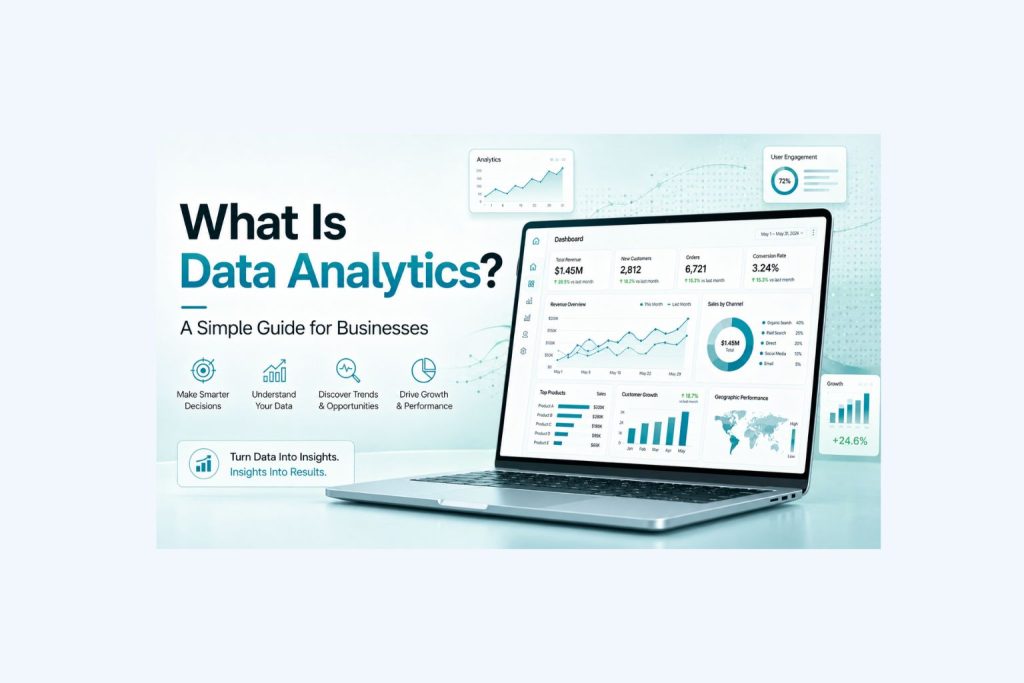
Data analytics is the process of using data to understand what is happening in a business and make better decisions. It helps business owners, managers, and teams turn raw numbers into clear answers. Instead of guessing why sales went up, why profit went down, or which marketing campaign worked best, data analytics helps a business look at real information and make decisions with more confidence.
Every business creates data. Sales create data. Customers create data. Marketing campaigns create data. Websites create data. Invoices, bookings, spreadsheets, CRM systems, accounting tools, inventory systems, and customer service records all create data. The challenge is that this information is often scattered across different platforms and files. One team may use a spreadsheet. Another may use a CRM. Finance may use accounting software. Marketing may use Google Analytics, ads platforms, or email reports. When all of this information sits in different places, it becomes hard to see the full picture.
That is where data analytics becomes valuable. It helps bring the most important numbers together, clean them, organize them, and turn them into useful insights. A business can use data analytics to understand which products are selling best, which customers are most profitable, which marketing channels bring quality leads, where costs are rising, and what the business should focus on next.
For small businesses, data analytics does not need to start with complex software or a large technical team. It can begin with clean spreadsheets, simple reports, useful dashboards, and a clear set of key performance indicators. The goal is not to make data look complicated. The goal is to make business decisions easier.
If your business needs help turning messy data into clear reports, dashboards, or forecasts, our Data Analysis Services can help.
Quick Answer: What Is Data Analytics?
Data analytics is the process of collecting, cleaning, organizing, studying, and interpreting data so a business can make better decisions. In simple terms, it helps a business understand what happened, why it happened, what may happen next, and what action should be taken.
For example, a business may know it made $80,000 in revenue last month. That number is useful, but it does not tell the full story. Data analytics can help explain whether that revenue came from new customers or repeat customers, which products created the most profit, whether marketing costs increased, and whether the business actually became more profitable.
A basic report may show that revenue increased. A better analytics process may show that revenue increased while profit decreased because advertising, labor, or delivery costs grew faster than sales. That is why data analytics is so important. It helps businesses move beyond surface-level numbers and understand what the numbers really mean.
| Business Question | How Data Analytics Helps |
|---|---|
| What happened? | Shows past performance through reports, charts, and dashboards |
| Why did it happen? | Finds patterns, causes, and problem areas |
| What may happen next? | Uses past trends to support forecasting and planning |
| What should we do? | Helps leaders choose better actions based on evidence |
The best data analytics does not just create reports. It helps people make decisions. A good report should make the next step clearer, whether that means improving sales, cutting waste, changing pricing, cleaning data, building a dashboard, or reviewing which customers and products are most profitable.
Start With a Data Project Review
Many businesses know they need better reports, dashboards, or data analysis, but they are not always sure where to begin. The first step is not always building a dashboard or buying a new tool. The first step is understanding what data you already have, what decisions you need to make, and where your current reporting process is breaking down.
A data project review helps you look at your current data situation before spending time or money on the wrong solution. This can include reviewing your spreadsheets, CRM exports, sales reports, accounting data, marketing reports, dashboards, customer lists, operations files, or any other business data you already use.
The goal is simple: identify what is messy, what is missing, what can be improved, and what type of data project would create the most value for your business. Some businesses do not need advanced analytics right away. They may need a cleaned sales file, a monthly KPI report, a simple dashboard, or a better way to compare revenue and profit. Other businesses may need to combine data from several systems so leadership can finally see one clear version of the truth.
For example, your business may have sales data in one spreadsheet, marketing data in another tool, and finance data in accounting software. Each source may tell part of the story, but none of them may show the full picture. A data project review can help identify how those pieces should connect and which project should come first.
If you are unsure where to start, you can request a data project review through our Data Analysis Services. We can help you understand what data you have, what problems need to be fixed, and what the best next step should be.
What Is Data Analytics in Business?
In business, data analytics means using company data to improve performance, planning, and decision-making. It helps leaders understand what is working, what is not working, and where the business should focus next. Instead of relying only on opinions, assumptions, or gut feeling, data analytics gives the business a clearer view of reality.
A company may use data analytics to review sales performance, understand customer behavior, measure marketing results, monitor expenses, improve operations, or forecast future demand. The data can come from sales systems, CRM platforms, accounting software, website analytics, advertising platforms, booking systems, inventory tools, customer surveys, and spreadsheets.
Having data is not the same as using data analytics. A business may have thousands of rows in a spreadsheet, but that does not automatically create insight. Data becomes useful when it is cleaned, organized, reviewed, summarized, visualized, and connected to a business decision.
For example, a business owner may look at monthly revenue and think the company is growing because sales increased from $70,000 to $90,000. On the surface, that looks positive. But after using data analytics, the owner may discover that the company spent much more on ads, paid more in labor, and had lower profit margins. In that case, the business grew revenue but weakened profitability.
That kind of insight matters because business owners do not only need to know whether numbers went up or down. They need to know why the numbers changed and what to do next. Strong analytics helps a business understand the story behind the numbers so decisions are based on reality, not guesswork.
Why Data Analytics Matters for Businesses
Data analytics matters because it reduces guesswork. Many businesses make decisions based on opinions, habits, or whichever problem feels most urgent. Sometimes instinct can be useful, but it should not be the only guide. Data analytics gives leaders a way to check their assumptions against real numbers.
A business may think its best product is the one with the highest revenue. After reviewing the data, it may discover that another product has lower revenue but a much higher profit margin. A company may think its best marketing channel is the one bringing the most leads. After analyzing the data, it may discover that those leads are low quality and rarely turn into customers. A manager may think the team needs more staff, but the data may show that the real issue is a slow process, poor scheduling, or one bottleneck in the workflow.
Good data analytics helps a business see what is really happening. It can show where money is being made, where money is being wasted, where customers are coming from, and where the business is losing time. It also helps teams focus on the numbers that matter instead of chasing every metric.
For example, website traffic may look exciting, but traffic alone does not pay the bills. A business also needs to know how many visitors became leads, how many leads became customers, and how much revenue those customers produced. Data analytics connects those numbers so the business can understand the full journey.
| Benefit | Business Impact |
|---|---|
| Better decision-making | Leaders can act based on facts instead of guesses |
| Faster problem detection | Revenue drops, cost increases, and performance issues are easier to spot |
| Improved marketing ROI | Money can move toward channels that produce better customers |
| Higher profitability | The business can focus on products, services, and customers with stronger margins |
| Better forecasting | Leaders can plan for revenue, inventory, staffing, and cash flow |
| Clearer accountability | Teams can see the KPIs they are responsible for |
| Faster reporting | Less time is wasted manually updating spreadsheets |
| Better customer understanding | The business can see buying patterns, complaints, retention, and satisfaction |
The real value of data analytics is not the report itself. The value is the decision the report supports. A useful report should help a business decide whether to increase ad spend, change pricing, improve staffing, focus on a different customer segment, remove a low-margin product, or build a better sales process.
If your reports are hard to understand or take too long to update, our Data Analysis Services can help you build clearer reporting.
What a Good Data Analytics Project Should Actually Deliver
A good data analytics project should not only produce charts. It should help the business make better decisions. Many businesses spend time creating reports that look polished but do not answer the questions leadership actually cares about.
A strong data analytics project should begin with the business problem. For example, the goal may be to understand why revenue dropped, which customers are most profitable, which marketing channel is producing real buyers, or how much revenue the business can expect next quarter.
Once the question is clear, the project should produce an output that people can actually use. That may be a cleaned dataset, a dashboard, a monthly report, a sales forecast, a customer analysis, or a performance review. The final result should make the business clearer, not more complicated.
| Project Output | What It Should Help You Do |
|---|---|
| Cleaned data | Trust the numbers before making decisions |
| KPI report | Track the most important business metrics |
| Dashboard | See performance quickly without opening multiple files |
| Sales analysis | Understand revenue, customers, and products |
| Marketing analysis | Know which channels produce quality leads and customers |
| Forecast | Plan for revenue, staffing, demand, or cash flow |
| Executive report | Give leadership a clear view of business performance |
This is why the best data analytics work is practical. It should reduce confusion, save time, and help the business choose its next move with more confidence.
A strong analytics project should also be easy to explain. If the report is so complicated that leadership cannot understand it, it will not be used. The best outputs are clear, focused, and connected to real decisions. They show the right numbers to the right people at the right time.
Data Analytics vs Data Analysis
People often use data analytics and data analysis as if they mean the same thing. They are closely related, but there is a useful difference.
Data analysis usually means studying data to answer a specific question. For example, a business may analyze sales data to find out why revenue dropped last month. That is a focused task with a specific goal.
Data analytics is broader. It includes the full process of collecting data, cleaning it, organizing it, analyzing it, visualizing it, reporting on it, and using it to guide business decisions. A company may use data analytics to create a monthly reporting system, track KPIs, build dashboards, forecast revenue, and review performance across departments.
| Term | Simple Meaning | Business Example |
|---|---|---|
| Data analysis | Looking at data to answer a specific question | Why did sales drop last month? |
| Data analytics | A broader system for using data to improve decisions | Building reports, dashboards, KPI tracking, and forecasts |
A simple way to understand the difference is this: data analysis answers a question, while data analytics helps run the business with better information.
For example, a one-time review of last month’s sales is data analysis. A repeatable monthly reporting system that tracks revenue, profit, marketing, sales, and customer behavior is data analytics. Both are useful, but analytics creates a stronger long-term decision system for the business.
The 4 Main Types of Data Analytics
There are 4 main types of data analytics: descriptive analytics, diagnostic analytics, predictive analytics, and prescriptive analytics. Each type answers a different business question.
Descriptive analytics helps explain what happened. Diagnostic analytics helps explain why it happened. Predictive analytics helps estimate what may happen next. Prescriptive analytics helps decide what action should be taken.
| Type of Data Analytics | Question It Answers | Business Example |
|---|---|---|
| Descriptive analytics | What happened? | Monthly sales report |
| Diagnostic analytics | Why did it happen? | Finding why revenue dropped |
| Predictive analytics | What may happen next? | Forecasting next quarter’s sales |
| Prescriptive analytics | What should we do? | Recommending where to spend marketing budget |
Most businesses start with descriptive analytics because they first need a clear view of past performance. As their reporting becomes stronger, they can move into deeper analysis, forecasting, and recommendations.
Descriptive Analytics: Understanding What Happened
Descriptive analytics looks at past performance. It helps a business understand what already happened by summarizing historical data into reports, charts, dashboards, and summaries.
For example, a sales dashboard may show monthly revenue, sales by product, customer count, average order value, and sales growth. A marketing report may show website traffic, ad spend, leads, conversion rate, and cost per lead. A finance report may show revenue, expenses, profit margin, and cash flow.
Descriptive analytics is useful because every business needs a clear view of performance. If a company does not know what happened last month, it will struggle to make smart decisions for next month.
However, descriptive analytics has a limit. A sales report may show a drop in revenue without explaining the cause. Website traffic data may reveal an increase in visitors, but it does not prove that those visitors created revenue. Expense reports may also show rising costs without identifying which cost caused the biggest problem.
That is why businesses often need to go beyond descriptive reporting and use diagnostic analytics.
Diagnostic Analytics: Understanding Why It Happened
Diagnostic analytics looks for the reason behind the numbers. It helps businesses understand why performance changed.
For example, if revenue dropped by 15%, descriptive analytics shows the drop. Diagnostic analytics helps explain the cause. The business may have received fewer leads, or the sales team may have had the same number of leads but closed fewer deals. One product category may have slowed down, a top customer may have stopped buying, website traffic may have fallen, or an advertising campaign may have stopped performing.
Diagnostic analytics often requires comparing data from different parts of the business. A business may need to compare sales data with marketing data, customer data with product data, or revenue data with expense data. This helps leaders find patterns and possible causes.
Imagine a business sees that total revenue declined. Without diagnostic analytics, the owner may immediately blame the sales team. But after reviewing the data, the real issue may be that lead quality dropped because the company changed its ad targeting. In that case, the solution is not to pressure the sales team. The solution is to fix the marketing source.
That is the power of diagnostic analytics. It helps businesses solve the right problem.
Predictive Analytics: Estimating What May Happen Next
Predictive analytics uses historical data to estimate what may happen in the future. It does not guarantee the future, but it helps a business plan with more confidence.
A business can use predictive analytics to forecast sales, estimate demand, plan inventory, project cash flow, predict customer churn, or prepare staffing levels. For example, if a company knows that sales usually increase during certain months, it can prepare inventory, staffing, and marketing ahead of time.
A service business may use past booking data to forecast busy periods. An ecommerce business may use order history to predict product demand. A sales team may use pipeline data to estimate next quarter’s revenue. A finance team may use past revenue and expense patterns to forecast cash flow.
Predictive analytics is especially useful when the cost of being unprepared is high. If a business underestimates demand, it may run out of stock or lose customers. If it overestimates demand, it may waste money on inventory, staffing, or marketing. Forecasting helps reduce those risks.
A forecast will never be perfect, but it can still be much better than guessing. The goal is not to predict the future with complete certainty. The goal is to prepare with better information.
Prescriptive Analytics: Deciding What to Do Next
Prescriptive analytics helps recommend what action a business should take. This is the most decision-focused type of analytics because it connects insight to action.
For example, if the data shows that one marketing channel brings customers at a lower cost and those customers buy again more often, the business may shift more budget to that channel. If the data shows that one product has high revenue but weak profit margin, the business may raise the price, reduce costs, bundle it with another product, or stop promoting it.
Prescriptive analytics helps answer questions like which product should be promoted, which customers should be targeted, which expenses should be reduced, which sales leads should be prioritized, and which locations need more support.
This is where data analytics becomes more than reporting. Instead of only showing what happened, it becomes a business decision tool that helps the company decide what to do next.
Data Analytics Examples for Businesses
Data analytics can be useData analytics can be used in almost every part of a business. Sales teams can use it to understand which customers and products create the most value. Marketing teams can identify which campaigns produce real revenue, while finance teams can monitor profit, cash flow, and expenses. Operations teams can also use data analytics to find bottlenecks, delays, and wasted time.
| Business Area | Data Analytics Example | Decision It Supports |
|---|---|---|
| Sales | Track revenue by product, customer, region, or rep | Focus on the highest-value opportunities |
| Marketing | Compare SEO, ads, email, and social media performance | Spend more on channels with better ROI |
| Finance | Review expenses, cash flow, profit margin, and revenue trends | Improve profitability and planning |
| Operations | Track output, delays, delivery time, or workload | Fix bottlenecks and improve efficiency |
| Customer Service | Review complaints, response time, and satisfaction | Improve support quality |
| Inventory | Track stock levels, demand, and slow-moving items | Reduce waste and avoid shortages |
| HR | Review staffing, productivity, turnover, and hiring needs | Improve workforce planning |
| Website | Track traffic, conversions, forms, and top pages | Improve website performance |
| Executive Reporting | Track company-wide KPIs | Help leadership make faster decisions |
For example, a business may use sales analytics and discover that a small group of customers creates most of the profit. That insight can help the sales team focus on better-fit customers instead of chasing every lead.
A marketing team may discover that one channel produces many leads but few customers, while another channel produces fewer leads but higher-quality buyers. That insight can change the marketing budget.
A finance team may discover that revenue is growing, but profit margin is shrinking. That may lead to changes in pricing, labor planning, vendor costs, or service delivery.
An operations team may discover that delays happen at the same step every week. Instead of asking everyone to work harder, the business can fix the specific bottleneck.
Sales Data Analytics Example
Sales data analytics helps a business understand revenue, customers, products, and sales performance. It can show which products sell best, which customers buy most often, which sales reps close the most deals, and which lead sources produce the best customers.
For example, a company may review 12 months of sales data and discover that 20% of customers produce 70% of profit. That insight can completely change the sales strategy. Instead of chasing every possible customer, the business can focus on attracting more customers who look like its most profitable buyers.
Sales analytics can also reveal problems in the sales process. A business may discover that leads are coming in, but too many are not being followed up quickly. Another business may discover that deals are being created, but the close rate is too low. Another may find that one product sells often but produces weak margins.
The value of sales analytics is that it helps the business focus on quality, not just activity. More calls, more emails, or more leads do not always create better results. Better targeting, better follow-up, and better understanding of customer value often matter more.
Marketing Data Analytics Example
Marketing data analytics helps a business understand which marketing activities are actually producing results. This is important because marketing reports can be misleading when they focus only on clicks, impressions, likes, or traffic.
A campaign may generate a lot of clicks but very few customers. Another campaign may generate fewer leads but produce higher-value buyers. Without data analytics, a business may keep spending money on the campaign that looks busy instead of the one that creates revenue.
For example, a business may spend money on Google Ads, Facebook Ads, SEO, email, and social media. A basic report may show how many leads came from each channel. A stronger analytics process will show how many of those leads became customers, how much revenue they created, and how much it cost to acquire each customer.
That changes the conversation. The question is no longer “Which channel brought the most leads?” The better question is “Which channel brought the most profitable customers?”
This is why marketing analytics is so valuable. It helps businesses stop wasting money on activity that does not convert.
Finance Data Analytics Example
Finance analytics helps a business understand revenue, expenses, cash flow, and profitability. It is one of the most important uses of data analytics because a business can look successful from the outside while struggling financially underneath.
A company may be growing revenue but losing profit. This often happens when costs rise faster than sales. Advertising, payroll, delivery, software, rent, inventory, and vendor costs can quietly reduce margin.
Finance analytics can help a business see which products, services, customers, or locations are truly profitable. For example, one service may bring in a lot of revenue but require too much labor. Another service may bring in less revenue but produce stronger profit. Once the business sees that clearly, it can make better pricing, staffing, and sales decisions.
Good finance analytics does not only show how much money came in. It shows what is left after costs and where the business can improve. A business that only tracks revenue may miss serious margin problems. A business that tracks revenue, cost, and profit together can make smarter decisions.
Operations Data Analytics Example
Operations analytics helps a business understand how work gets done. It can reveal delays, bottlenecks, staffing issues, quality problems, and wasted time.
For example, a company may discover that orders are delayed every Friday. At first, the team may assume everyone is too busy. But after reviewing the data, the business may find that one approval step takes too long, staffing is too low on Thursdays, or a vendor delivery schedule is creating the delay.
Operations analytics helps businesses improve efficiency without guessing. It can show where work slows down, which tasks take the longest, which errors happen most often, and where the team needs better systems.
This matters because operational problems often become customer problems. Delays, mistakes, and inconsistent service can hurt customer satisfaction and revenue. Data analytics helps businesses find and fix those issues earlier.
Customer Data Analytics Example
Customer analytics helps a business understand who its customers are, what they buy, how often they return, and why they leave. This can be one of the most valuable areas of analytics because customers are not all equal in value.
A business may discover that repeat customers are much more profitable than new customers. It may discover that one customer segment buys more often, complains less, and has a higher average order value. It may also discover that certain customers cost too much to serve because they require more support, more discounts, or more time.
Customer analytics can help a business improve retention, create better offers, personalize marketing, and focus on high-value customer groups. Instead of trying to serve everyone the same way, the business can understand which customers create the strongest long-term value.
This kind of insight can change the way a business markets, sells, prices, and supports customers. It can also help leaders decide which customer relationships deserve the most attention.
Common Data Analytics Tools
The best data analytics tool depends on the business, the data, and the goal. A small business may not need an advanced platform on day one. Many companies begin with Excel or Google Sheets because they are easy to use and already familiar. As the business grows, reporting usually becomes more frequent, more complex, and more important. That is when dashboards and automated reporting become more useful.
| Tool | Best For | Good Fit For |
|---|---|---|
| Excel | Basic analysis, formulas, pivot tables, and charts | Small businesses and quick reports |
| Google Sheets | Shared reporting and simple dashboards | Teams that collaborate online |
| Power BI | Automated dashboards and business reporting | Growing businesses with recurring reports |
| Tableau | Interactive dashboards and visual analysis | Teams that need stronger visualization |
| Looker Studio | Website, marketing, and Google data reporting | Marketing and SEO reporting |
| SQL | Pulling and organizing data from databases | Businesses with structured databases |
| Python | Advanced analysis, automation, and forecasting | More complex analytics projects |
| CRM Reports | Sales pipeline and customer tracking | Sales teams |
| Accounting Reports | Revenue, expenses, and cash flow | Finance teams |
The right tool is not always the most advanced tool. The right tool is the one that helps the business answer important questions clearly and consistently.
A simple dashboard that gets reviewed every week is better than an advanced report no one opens. A business should choose tools based on the problem it needs to solve, the people who will use the reports, and the level of automation required.
How the Data Analytics Process Works
A strong data analytics process starts with a business question and ends with a decision. It should not begin with random charts or complicated software. The process should be simple, practical, and connected to a real business goal.
The first step is to define the question. A weak question would be, “Can you look at our data?” A stronger question would be, “Which marketing channel brings the most profitable customers?” or “Why did sales drop last month?” Clear questions lead to useful analysis.
The next step is collecting the right data. If the question is about marketing ROI, the business may need ad spend, lead source, conversion rate, revenue by channel, and customer acquisition cost. If the question is about profit, the business may need revenue, direct costs, labor costs, software costs, and margins.
After the data is collected, it needs to be cleaned. This is where many analytics projects succeed or fail. Messy data creates wrong answers. Duplicate records, missing values, inconsistent names, wrong date formats, and incorrect totals can all damage the quality of the analysis.
Once the data is clean, the business can analyze it. This may involve comparing month-over-month performance, identifying top customers, calculating profit by product, measuring cost per lead, reviewing conversion rates, or finding seasonal patterns.
The results should then be visualized in a way that makes them easy to understand. Dashboards, charts, KPI cards, and summary tables can help leaders see the most important information quickly.
The final step is decision-making. A report should lead to action. When one marketing channel performs better, the business may increase its budget there. Weak margins on a product may lead to pricing changes or cost reductions. Slow manual reporting may also push the business to automate the process.
Data Analytics Project Checklist for Businesses
Before starting a data analytics project, it helps to review a few important questions. This prevents the business from building reports that look good but do not solve the real problem.
| Question | Why It Matters |
|---|---|
| What decision are we trying to make? | Keeps the project focused on business value |
| Who will use the report or dashboard? | Makes sure the final output fits the right audience |
| What data do we already have? | Helps identify useful sources before collecting more data |
| Is the data clean enough to trust? | Prevents wrong conclusions from messy data |
| How often should the report update? | Helps decide whether the process should be manual or automated |
| What KPIs matter most? | Keeps the report from becoming crowded and confusing |
| What action should happen after reviewing the data? | Connects the project to a real business outcome |
A business should not start a data project just because it has data. It should start because there is a decision to improve, a problem to solve, or a process to make clearer.
For example, if leadership wants to understand why profit is falling, the project should focus on revenue, costs, margins, products, customers, and trends. A marketing project may connect lead sources to conversions and revenue, while an operations project may track workflow, timing, bottlenecks, and output.
If your business is not sure which data project should come first, a data project review can help you choose the highest-value starting point.
Common Data Analytics Mistakes
One of the biggest mistakes businesses make is tracking too many metrics. When a report includes every possible number, it becomes hard to understand. A good report should focus on the numbers that support decisions.
Another common mistake is using messy data. If customer names are inconsistent, dates are incorrect, or duplicates are not removed, the final report may be misleading. Bad data can make a business confident in the wrong answer.
Some businesses also start with the dashboard before they define the question. This often creates dashboards that look nice but do not help anyone make decisions. The better approach is to first ask what the business needs to decide, who will use the report, and what action should happen after reviewing it.
Another mistake is focusing only on revenue while ignoring profit. Revenue growth looks exciting, but if costs are rising faster than sales, the business may be moving in the wrong direction. Strong analytics should connect revenue, cost, and profit.
| Mistake | Why It Causes Problems | Better Approach |
|---|---|---|
| Tracking too many metrics | Reports become confusing | Focus on the KPIs that support decisions |
| Using messy data | Leads to wrong conclusions | Clean and validate data before analysis |
| Starting without a question | Creates unfocused reports | Define the business decision first |
| Ignoring profit | Revenue can look good while margins are weak | Track revenue, cost, and profit together |
| Building dashboards no one uses | Wastes time | Design reports around real users and decisions |
| Updating reports manually forever | Takes too much time | Automate recurring reports when possible |
| Looking only at averages | Hides important details | Segment by product, customer, channel, or location |
| Not taking action | Analytics becomes decoration | Connect every report to a decision |
Good analytics is not about having the most charts. It is about having the right information at the right time.
What Metrics Should a Business Track?
The right metrics depend on the business model, goals, and stage of growth. A local service business, ecommerce store, software company, agency, restaurant, and consulting firm should not all use the exact same dashboard.
A CEO may need revenue, profit margin, cash flow, and forecast accuracy. A marketing manager may need leads, cost per lead, conversion rate, and revenue by channel. A sales manager may need pipeline value, win rate, average deal size, and sales cycle length. An operations manager may need delivery time, workload, error rate, and capacity.
| Category | Useful Metrics |
|---|---|
| Sales | Revenue, deals closed, average deal size, sales growth, win rate |
| Marketing | Leads, conversion rate, cost per lead, cost per customer, ROI |
| Finance | Gross profit, net profit, margin, cash flow, expenses |
| Customer | Retention, churn, repeat purchase rate, satisfaction |
| Operations | Delivery time, output, error rate, workload, utilization |
| Website | Traffic, top pages, form submissions, conversion rate |
| Executive | Revenue growth, profit margin, customer growth, forecast accuracy |
The best KPIs are tied to decisions. If a metric does not help the business decide what to do, it may not belong on the main dashboard.
A business should also avoid copying another company’s dashboard without thinking. What matters for one business may not matter for another. The best metrics are the ones that help your team understand performance and take action.
When Should a Business Use Data Analytics?
A business should use data analytics when decisions are becoming too important to leave to guesswork. This often happens when reports take too long to create, leaders do not trust the numbers, data is spread across too many tools, or the business is growing but profit is unclear.
A company may be getting more leads every month but not increasing revenue. Without analytics, the team may assume they simply need more leads. But after reviewing the data, the real issue may be lead quality, slow follow-up, weak conversion, poor pricing, or customer churn.
That insight changes the solution. Instead of spending more money on ads, the business may need to improve sales follow-up, change targeting, update pricing, or build a retention process.
Data analytics helps businesses fix the right problem. It helps leaders avoid spending time and money on the wrong solution.
When to Request a Data Project Review
Some businesses can handle basic reporting internally, especially when the data is simple and the questions are clear. But when reports become messy, slow, inconsistent, or hard to trust, it may be time to request a data project review.
A data project review is useful when you know your business needs better reporting but you are not sure what to build first. It helps you avoid wasting time on the wrong dashboard, the wrong metrics, or the wrong tools.
You should consider requesting a data project review if your reports take too long to update, your data is spread across multiple platforms, your team does not trust the numbers, or leadership keeps asking for the same information in different formats. It is also useful if you need to combine sales, marketing, finance, operations, or customer data into one clearer view.
For many businesses, the best first project is not advanced analytics. It may be something more practical, such as cleaning a spreadsheet, creating a KPI report, building a dashboard, reviewing sales performance, or forecasting revenue for the next few months.
A project review can help answer questions like:
- What data do we already have?
- Is our data clean enough to use?
- Which reports are wasting the most time?
- Which KPIs should we track?
- Do we need Excel, Power BI, Tableau, or another tool?
- What dashboard would actually help leadership?
- What is the fastest project that could create business value?
The main benefit is clarity. Instead of guessing what type of data help you need, you can identify the best starting point and build from there.
If your business needs help understanding what to do with your data, you can request a data project review through our Data Analysis Services.
How Data Analytics Can Increase Revenue
Data analytics can increase revenue by showing where growth is really coming from. Many businesses try to grow by doing more of everything. More ads, more calls, more products, more discounts, more content, and more sales activity. But growth becomes easier when the business understands what is already working.
A business may discover that one service has fewer customers but a much higher profit margin. With that insight, it can update its website, ads, sales process, and offers to promote the more profitable service. Another business may discover that customers who buy one product are likely to buy a second product within 60 days. That insight can lead to a smart upsell campaign.
Data analytics can also show which customer segments are most valuable, which marketing channels convert best, which products are often purchased together, and which sales activities create the highest return. Instead of spreading effort evenly across everything, the business can focus on the areas most likely to grow revenue.
Revenue growth becomes more efficient when the business knows what is working. Instead of trying random tactics, leaders can put more energy into the customers, offers, channels, and processes that already show strong results.
How Data Analytics Can Reduce Costs
Data analytics can also protect profit by finding waste. Sometimes the fastest way to improve a business is not to sell more. It is to stop losing money in places the business has not noticed.
A business may discover that one advertising campaign has a low cost per lead but a high cost per customer. That means the campaign looks good at first but performs poorly later. Another business may discover that one product sells often but creates too many returns, complaints, or support tickets. Another may find that employees spend several hours every week updating reports manually when a dashboard could automate the same work.
Cost reduction does not always mean cutting important resources. Often, it means finding where time, money, or effort is being used without enough return.
Data analytics helps businesses protect profit, not just grow revenue. It can show where the business is spending too much, where processes are too slow, and where resources can be used better.
Data Analytics for Small Businesses
Small businesses often think data analytics is only for large companies. That is not true. Small businesses can use data analytics in simple but powerful ways.
A local service business can track which services produce the most profit. A restaurant can track busy days, menu performance, labor cost, and repeat customers. An ecommerce store can track product sales, ad spend, customer lifetime value, and returns. A consulting firm can track lead source, project value, close rate, and client retention.
Small businesses often benefit quickly from analytics because they usually have fewer layers of approval. Once the owner sees the numbers clearly, decisions can happen faster.
The starting point does not need to be advanced. A small business can begin with clean sales data, a monthly KPI report, a simple revenue dashboard, a marketing performance report, or a basic sales forecast.
The important thing is to start with useful questions. A business may need to know which customers deserve more focus, which products are worth promoting, which expenses are rising too fast, and which marketing channel is actually working. It may also need to identify the busiest months or find where time is being lost.
A simple answer to the right question can be more valuable than a complex report. Small businesses do not need more confusion. They need clearer numbers, better reports, and decisions they can act on.
Data Analytics and Business Intelligence
Data analytics and business intelligence are connected, but they are not exactly the same.
Business intelligence, often called BI, usually focuses on dashboards, reports, and performance tracking. It helps a business see what is happening. Data analytics is broader. It can include BI, but it can also include deeper analysis, forecasting, and recommendations.
| Topic | Business Intelligence | Data Analytics |
|---|---|---|
| Main Focus | Reporting and dashboards | Insights, patterns, forecasting, and decisions |
| Common Question | What is happening? | What happened, why, what next, and what should we do? |
| Example | Monthly sales dashboard | Sales analysis, customer segmentation, and revenue forecast |
| Tools | Power BI, Tableau, Looker Studio | Excel, SQL, Python, Power BI, Tableau, forecasting tools |
A business may use BI to track KPIs every week. Then it may use data analytics to investigate why a KPI changed. For example, a BI dashboard may show that leads dropped by 25%. Data analytics can help explain whether the drop came from SEO, ads, email, seasonality, or website conversion issues.
A simple way to think about it is that business intelligence helps you monitor the business, while data analytics helps you understand and improve the business.
Data Analytics and Dashboards
Dashboards are one of the most common ways businesses use data analytics. A dashboard brings important numbers into one place so teams can see performance quickly.
A good dashboard should answer practical questions. Are we on track? What changed? What needs attention? Which area is performing best? Which area is falling behind? What should we review next?
Common dashboard types include sales dashboards, marketing dashboards, finance dashboards, operations dashboards, executive dashboards, KPI dashboards, and customer dashboards.
A dashboard should not be overloaded with every available metric. Too many charts can make the dashboard confusing. A strong dashboard is simple, focused, and tied to decisions.
For example, an executive dashboard may include revenue, profit margin, cash flow, lead volume, conversion rate, customer growth, forecasted revenue, and top risks. That gives leadership a clear view of business health without forcing them to open multiple spreadsheets.
The best dashboards are not just visual. They are useful. They help people see what changed, understand what matters, and take action faster.
Data Analytics and Forecasting
Forecasting is one of the most valuable uses of data analytics. A forecast uses past data and trends to estimate what may happen in the future.
Businesses use forecasting for revenue planning, sales goals, inventory planning, staffing, cash flow, demand planning, marketing budgets, and hiring decisions. A company may use the last 24 months of sales data to estimate the next 3 months of revenue. The forecast may show that demand usually slows during one season and rises during another.
A forecast will never be perfect. But it can still be much better than guessing. Good forecasting depends on clean historical data, clear assumptions, and regular updates.
When a business has a reliable forecast, it can prepare earlier. It can order inventory before demand rises, adjust staffing before busy periods, manage cash flow more carefully, and set more realistic sales targets.
Forecasting is especially useful for businesses that deal with seasonality, inventory, staffing, cash flow pressure, or growth planning. It gives leaders more time to prepare instead of reacting late.
Data Analytics and Data Cleaning
Data cleaning is the foundation of good analytics. If the data is messy, the report will be unreliable.
Common data cleaning tasks include removing duplicate customers, fixing incorrect dates, standardizing product names, combining spreadsheets, removing blank rows, checking totals, correcting spelling mistakes, and making categories consistent.
For example, if one file says “New York” and another says “NY,” the dashboard may treat them as different locations. If one customer name is written 3 different ways, revenue by customer may be wrong. If dates are formatted differently across files, monthly trends may not calculate correctly.
Data cleaning may not sound exciting, but it is one of the most important parts of the analytics process. Clean data creates trust. Messy data creates confusion.
A business should not make major decisions from data it does not trust. Before building a dashboard or report, it is often better to clean and validate the source data first. That way, the final numbers are easier to trust and easier to explain.
How to Start Using Data Analytics in Your Business
The best way to start using data analytics is to begin with one clear business question. Do not try to analyze everything at once. A focused question creates a focused project.
For example, a business might start by asking, “Which marketing channel brings the most profitable customers?” From there, the business can identify the data needed, clean the data, analyze the results, and create a simple report or dashboard.
A good first analytics project could be analyzing sales by product, reviewing marketing lead quality, building a monthly KPI report, cleaning customer data, creating a revenue dashboard, forecasting sales for the next quarter, or finding the most profitable customers.
Once the business sees value from one analytics project, it can expand into other areas. The key is to start simple, make the results useful, and connect every report to a decision.
If you are not sure where to begin, start with the question that affects money, time, or decision-making the most. That question will usually point to the best first data project.
Request a Data Project Review
If your business has data but does not have clear answers, the best next step may be a data project review.
This review can help you understand where your data stands today, what is slowing down your reporting, and which project would create the most value first. You may need a cleaned dataset, a dashboard, a KPI report, a sales analysis, a marketing performance review, or a forecast. The right answer depends on your business goal.
A data project review is especially helpful if your team is working from messy spreadsheets, manually updating reports, switching between too many tools, or making decisions without a clear view of the numbers.
Instead of starting with assumptions, start with a review of the data you already have.
Frequently Asked Questions About Data Analytics
Data analytics is the process of using data to understand what is happening and make better decisions. In business, this may include reviewing sales, marketing, finance, customer, or operations data to find patterns, problems, and opportunities.
A simple example is reviewing monthly sales data to see which products made the most revenue. A stronger example is comparing sales, costs, profit margins, and customer data to find which products are actually most profitable.
Data analytics is important because it helps businesses make decisions based on real numbers instead of guesses. It can improve marketing, sales, finance, operations, planning, and customer service.
The 4 main types of data analytics are descriptive analytics, diagnostic analytics, predictive analytics, and prescriptive analytics. Descriptive analytics shows what happened. Diagnostic analytics explains why it happened. Predictive analytics estimates what may happen next. Prescriptive analytics helps decide what action to take.
No. Small businesses can use data analytics too. Many start with Excel, Google Sheets, simple reports, and dashboards. Even basic analytics can help a small business understand sales, customers, costs, and performance.
Common data analytics tools include Excel, Google Sheets, Power BI, Tableau, Looker Studio, SQL, Python, CRM reports, and accounting software. The best tool depends on the business question and where the data is stored.
You may need data analytics if your reports are messy, your data is spread across multiple tools, your team does not trust the numbers, or you need better dashboards, forecasts, or KPI reports.
Business intelligence usually focuses on dashboards, reports, and tracking business performance. Data analytics is broader and can include deeper analysis, forecasting, and recommendations.
Yes. Data analytics can help increase profit by showing which products, services, customers, and marketing channels produce the best margins. It can also help find waste, reduce unnecessary costs, and improve pricing decisions.
Not always, but dashboards are useful when you need to review important numbers regularly. A dashboard can help track KPIs, sales, marketing, finance, and operations in one place.
A data project review is a simple review of your current business data, reports, dashboards, and goals. It helps identify what data you have, what problems need to be fixed, and which analytics project should come first. This may include data cleaning, dashboard development, KPI reporting, sales analysis, marketing analysis, forecasting, or executive reporting.
Data Analytics Helps Businesses Make Better Decisions
Data analytics helps businesses turn raw numbers into useful decisions. It can show what happened, explain why it happened, forecast what may happen next, and guide what action the business should take.
For many small businesses, data analytics does not need to start with complex software. It can start with clean data, clear questions, useful reports, and simple dashboards that show the numbers that matter most.
The most important thing is to use data analytics to answer real business questions. Which customers are most profitable? Which marketing channels are working? Where are costs rising? Which products should the business focus on? What does the business need to prepare for next month or next quarter?
When data analytics is done well, it helps a business make smarter decisions, reduce waste, increase revenue, and plan with more confidence.
If your business needs help turning messy data into clear reports, dashboards, or forecasts, our Data Analysis Services can help you understand your numbers and make better decisions.
